You can use this to claim BPRA on qualifying expenditure. The total qualifying addition to a property in an AP should be shown as a separate asset.

Claiming Business Premises Renovation Allowance (BPRA)

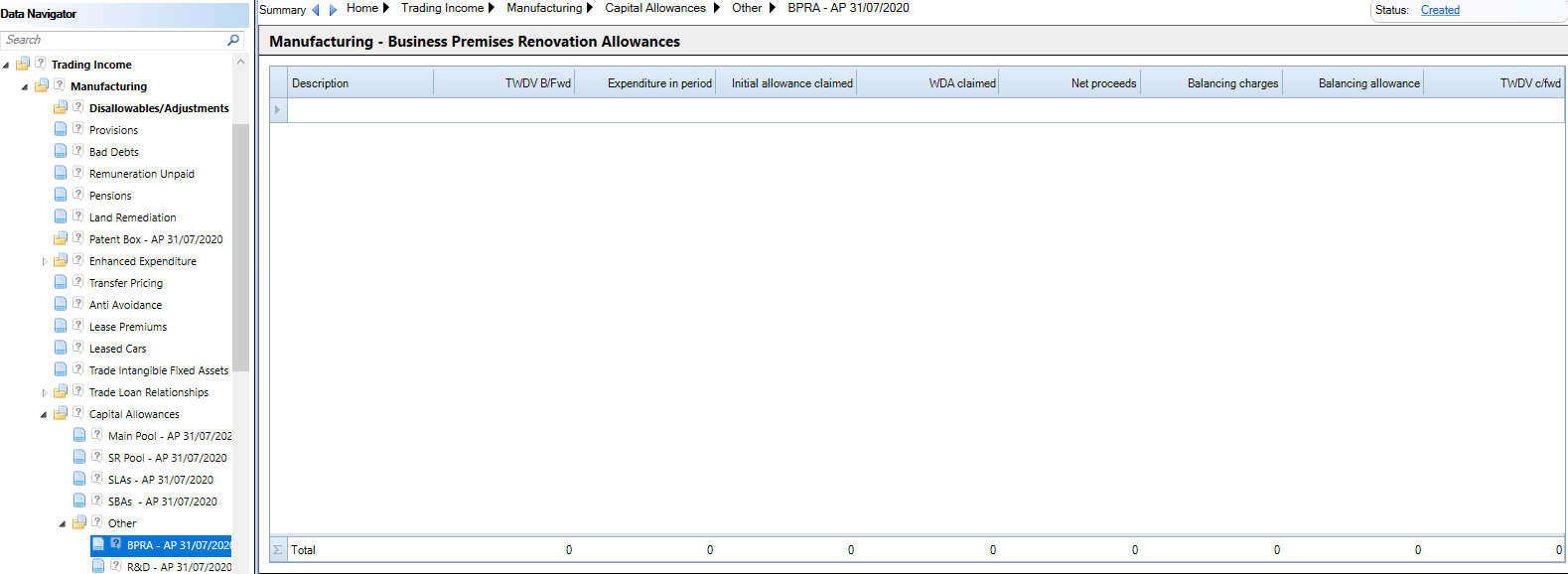
The BPRA statement  is located under  Trading Income, Trade name, Capital Allowances, Other, BPRA 
clipboard_e3ad3b7ba44a4c1c8ce2b245fa8c456f1.png

Click in the description column to access the data input window;
clipboard_e3c139ec420aca2af1343b21fc0dafb11.png

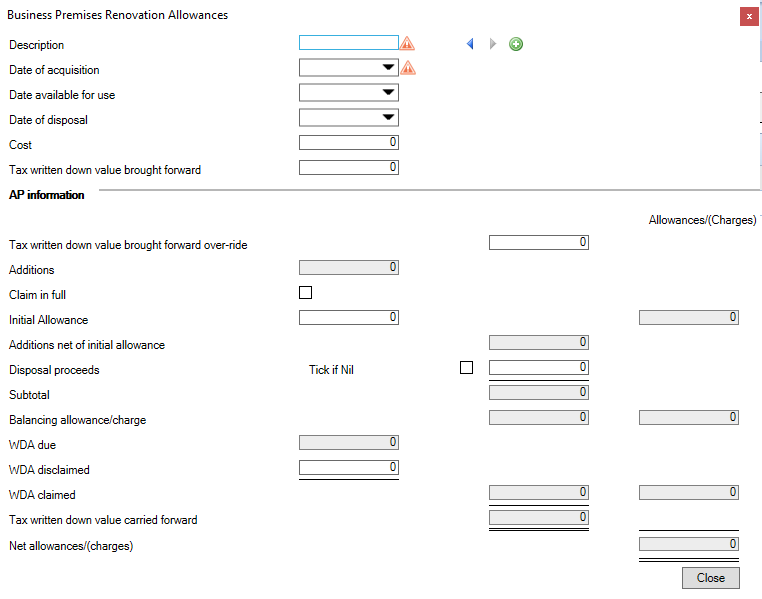
The Description should be unique for each claim made.

Enter the Date of Acquisition.

Enter a Date available for use or a Date of disposal if relevant.

Enter the Cost and any Tax Written Down Value brought forward.

Tax Written Down Value brought forward is editable in the first accounting period.  For the second and subsequent APs use the Tax WDV Bf override box to amend the value.  

Enter any Initial Allowance, Disposal proceeds or WDA Disclaimed where appropriate.

Related

Related documents

CCH Corporation Tax: Data entry training (10091173/10085296)
This course provides an overview of the data entry process necessary for creating and filing Corporation Tax returns and computations. It includes a 3-hour interactive online session focusing on key objectives such as client information creation, tax return production, and online filing processes. Participants will learn about essential topics like profit adjustments, capital allowances, and using CCH Central software. The course is designed for CCH users familiar with UK Corporation Tax requirements. Pre-requisites include adherence to training guidelines and a solid understanding of relevant software and tax regulations.
CCH Corporation Tax: essentials training online (10133829)
This course offers an introduction to producing and filing CT600 corporation tax returns using data entry processes. Prerequisite knowledge includes completion of CCH Central: essentials. Objectives include learning to prepare computations and complete the online filing. The course lasts 2.5 hours and utilizes the interactive CloudShare training environment. Content covers topics such as creating tax returns, entering trade data, and filing processes. Designed for newcomers to CCH Corporation Tax responsible for tax returns, the course also includes additional resources like eLearning and webinars for further learning.
CCH Corporation Tax 2026.3: Release Notes
Release Notes for CCH Corporation Tax 2026.3
CCH Corporation Tax 2026.2: Release Notes
Release Notes for CCH Corporation Tax 2026.2
Getting Started
This document provides a quick start guide for using CCH Corporation Tax software. It outlines essential features such as the Data Navigator, which assists in completing clients' Returns, and the use of Breadcrumbs for navigation. Additionally, it explains the functions available in the Ribbon panel located at the top of the screen. Overall, the document aims to streamline the user experience by highlighting key tools and navigation methods within the software.