
How To
Backing up a database - Quick guide
CCH Interactive Checklist
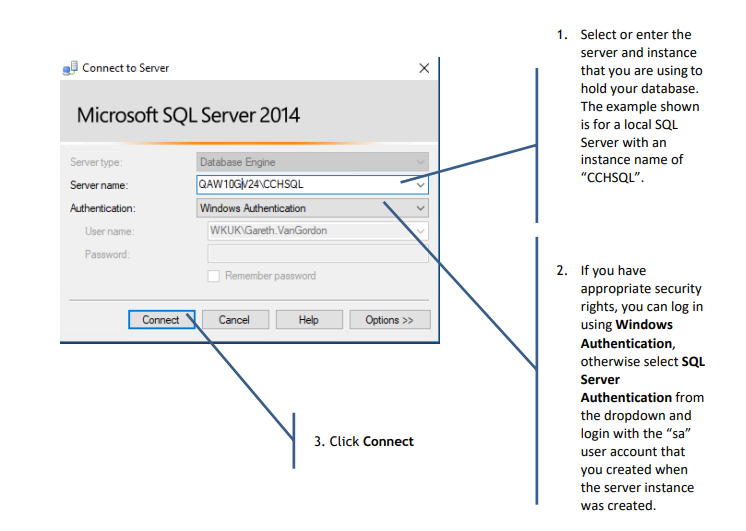
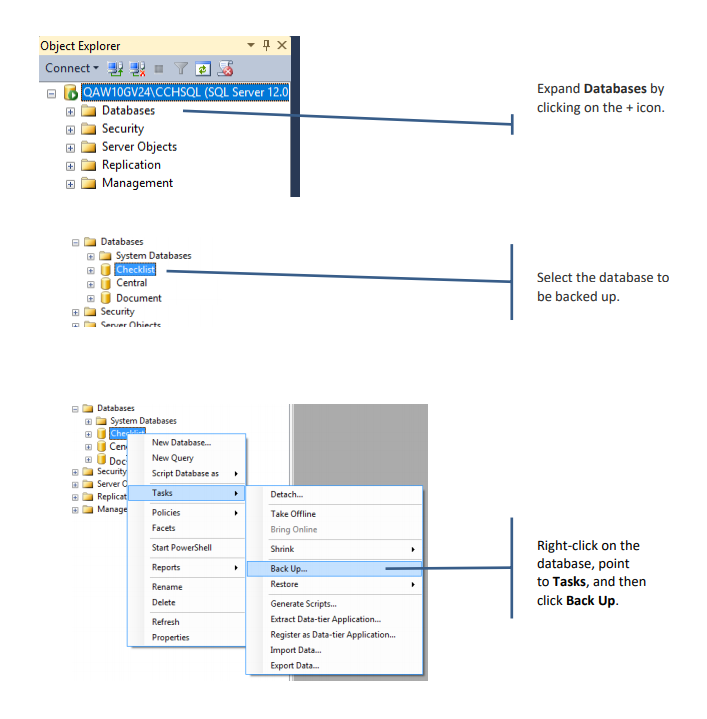
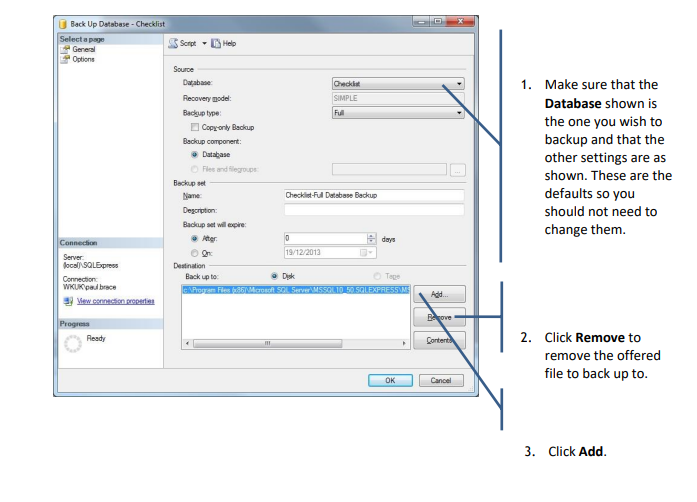
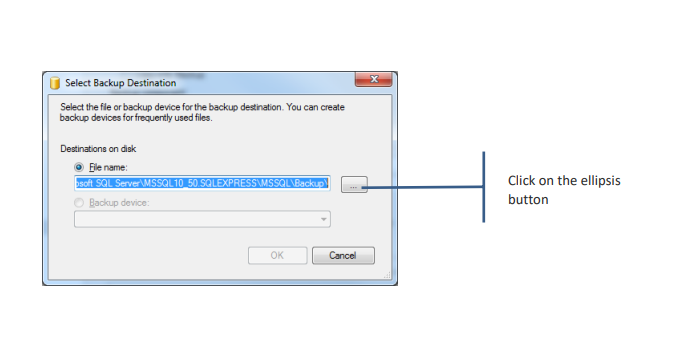
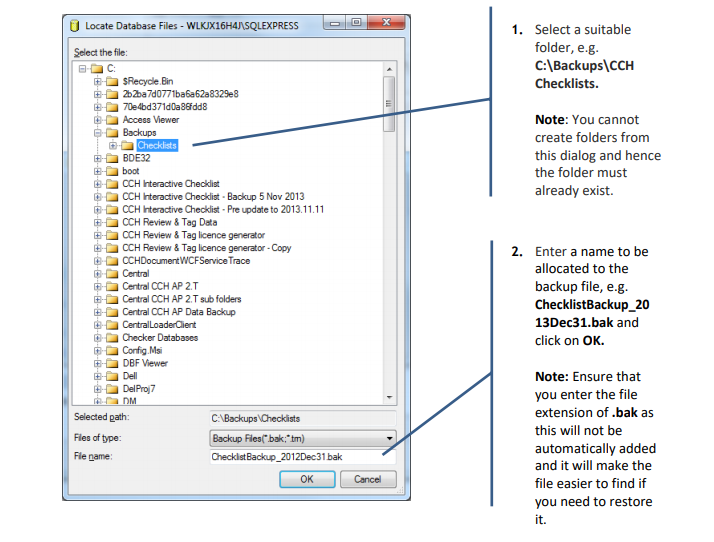
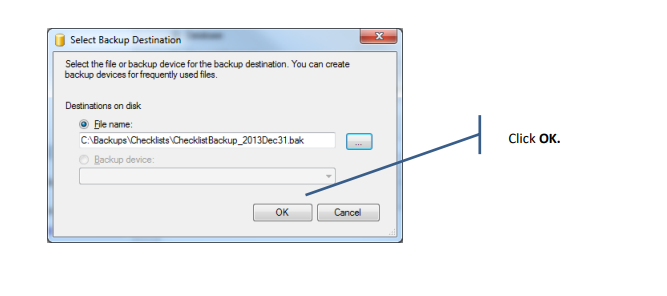
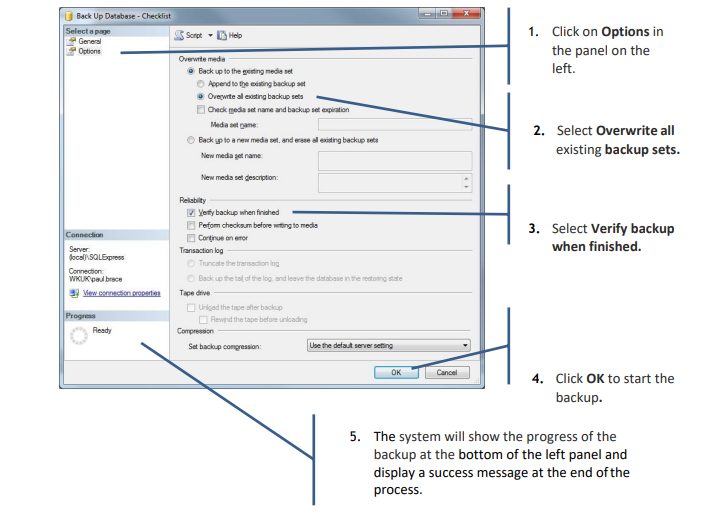
Launch SQL Server Management Studio from the Start menu.
Related documents
CCH Interactive Checklist video 4 – Filtering and Review
The document provides a video on CCH Interactive Checklist: Filtering and Review
CCH Interactive Checklist video 2 - Client Management
The document provides a video on CCH Interactive Checklist: Client Management
CCH Interactive Checklist video 1 - Introduction
This video provides an introduction to CCH Interactive Checklist
CCH Interactive Checklist video 3 – Tailoring and Completion
The article provides a video on CCH Interactive Checklist – Tailoring and Completion
Get Started
The document is a user guide for CCH Interactive Checklist, providing essential information and resources to help users get started. It includes links to various sections such as installation, user management, client management, and checklist completion. Additional resources feature guides for SQL database management, including backup and restore procedures. Furthermore, the document offers video tutorials covering key topics like introduction to the software and client management.