
Clearing errors
Data missing from CCH Accounts Production
When important information such as dates when the reports were signed, or officers' signatories, or the senior statutory auditor are missing from the Accounts, the following errors will appear.
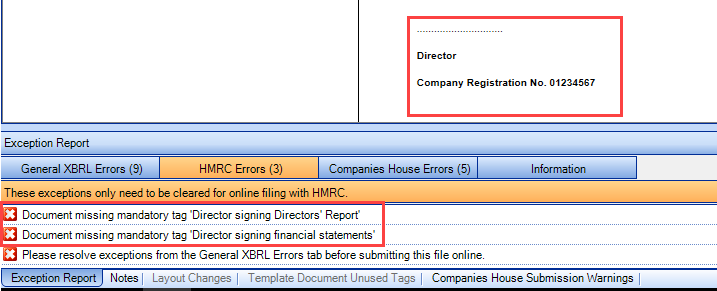
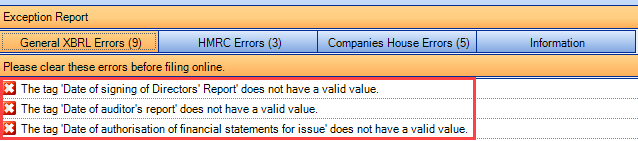
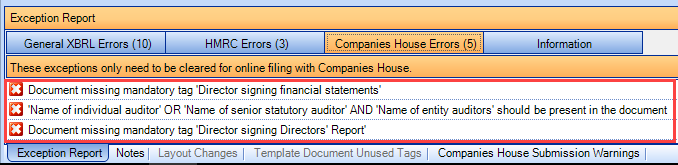
- To clear the errors above it is necessary to fill the Statutory Database and Officers screen with the missing information e.g. add the dates, the directors, check the box of the director(s) who will be signing the reports and add the senior statutory auditor.
- Re-generate the file so that there is data associated with the respective tags (as they are within each format).
When a policy goes across two pages and the tag is allocated in both pages
When this happens, an example of this type of error (impairment of non-financial assets policy) is below:

- To clear this error double click on the error message.
- Select one of the pages offered on the screen then right click on the relevant tag and select ‘Delete’.
- Then scroll on to the next page where the same tag is applied on the continued paragraph, right click on this tag and select ‘Adjust tag’.
- Highlight the text where you previously deleted the tag, right click and select ‘Add text to tag’, then right click again and select ‘Save’.
- This exception should now be cleared, click on ‘Save’ again from the ribbon bar to save all the changes within the file.
Useful Information! This BiteSize Video explains the above step-by-step.
When the mandatory tag for employees' number is missing (when the number of employees is 0)

1. To clear this error double click on the error message.
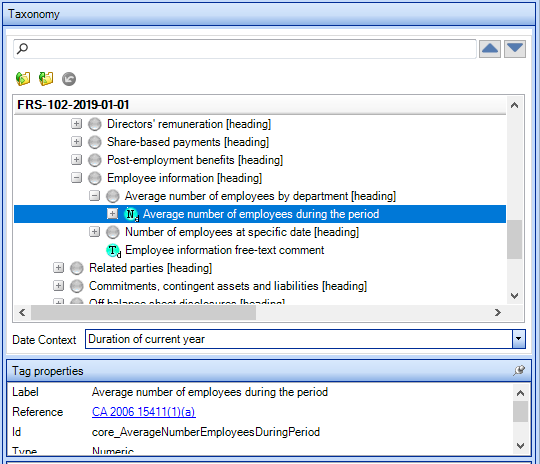
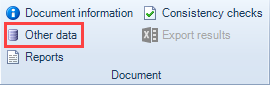
2. Click on “Other data” from the ribbon bar.
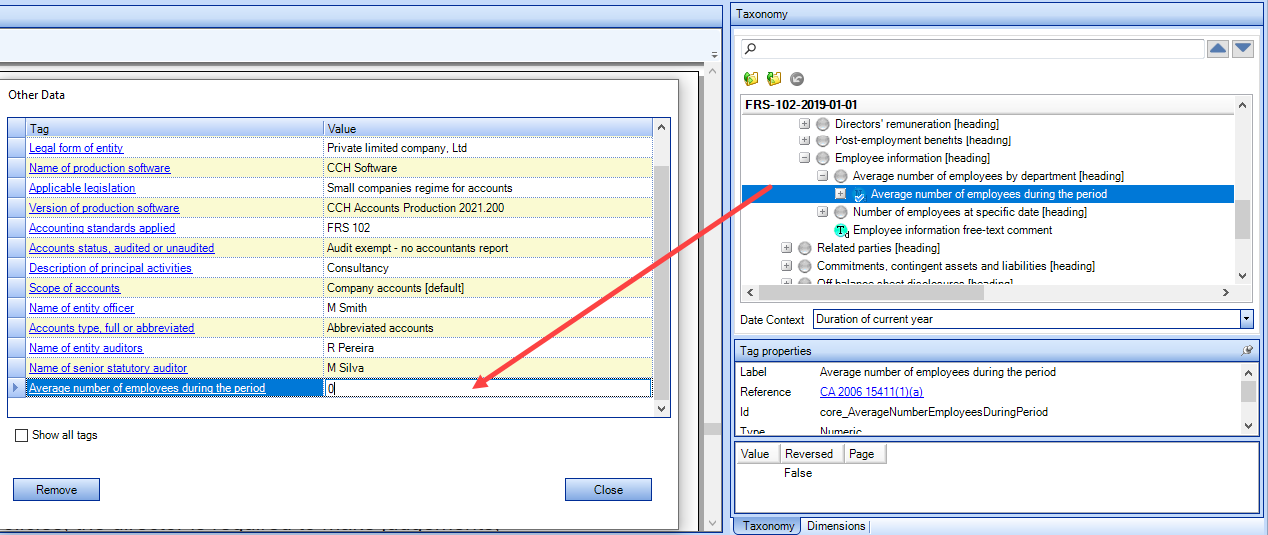
3. Drag and drop the tag “Average number of employees during the period” into Other data grid and add the number of employees in the second column.
2018 Taxonomies - Retired
Companies House no longer accepts accounts that have been tagged with older versions of the taxonomies. Any accounts tagged with pre 2019 taxonomies will be rejected when they are submitted to Companies House.
The following taxonomies for 2018 have now been retired:
- FRS-102-2018-01-01
- FRS-102-DPL-2018-04-02
- FRS-101-2018-01-01
- FRS-101-DPL-2018-04-02
- FULL-IFRS-2018-01-01
- FULL-IFRS-DPL-2018-04-02
- CHAR-FRS102-2018-01-01
We have removed the option to create new accounts files in CCH iXBRL Review & Tag using these retired versions.
If you are loading in a file created with these older versions of the taxonomies the file still loads and an exception message appears in the Companies House Errors tab:


To update to a newer version of the taxonomies, go to Document Information screen and select a newer version of the required taxonomy:
Companies House submission count warning message
A Companies House Submission Licence count warning is triggered when the remaining licenses reach 25. This ensures sufficient advance warning of the remaining licence count running out.
Note: Where users have less than 25 licenses (even those whose total license is 25 or less), the warning is consistently triggered. We recommend that all users are reminded to close the message before continuing.