This section explains how to create a Profit & Loss within a period of account in CCH Corporation Tax using the information within CCH Accounts Production.

Updating and creating a Profit & Loss using CCH Accounts Production 

The information from CCH Accounts Production can be either updated manually by selecting the Update from Accounts hyperlink in the top ribbon or automatically update the Profit & Loss by setting up the appropriate client tax links.

Please see the Linking products section on how to set up the automatic update of information.

To see the Profit & Loss in CCH Corporation Tax:

Select Insert  from the Profit & Loss section of the top ribbon.

clipboard_ed563dcf6cb4acd0c56e1ae13e4217fae.png

Select Update from Accounts in the Top Ribbon

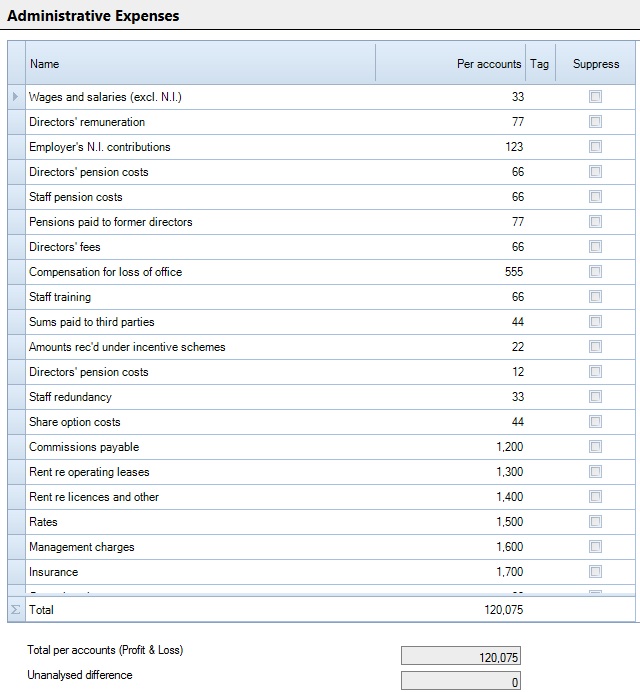
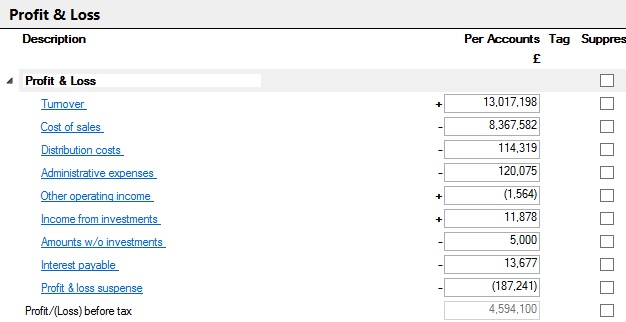
The detailed information from CCH Accounts Production will appear:
P&L.jpg

The categories displayed represent the categories within the chart of accounts used in CCH Accounts Production.

Tick the Suppress box to exclude a row and any underlying analysis from the printed computation.

The sub analyses can be accessed via the hyperlinks or via the Data navigator
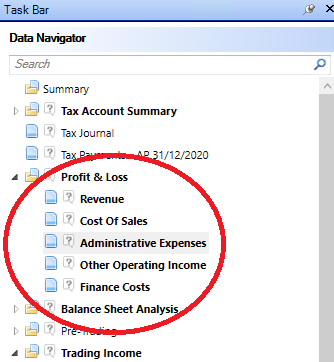
clipboard_e74007a4eed65a61a8383dbc75edcfc84.png

PLAnalysis.jpg

Any unanalysed difference between the total per accounts seen on the main Profit & Loss window and the total analysed in this window  will be shown at the foot of the analysis window.

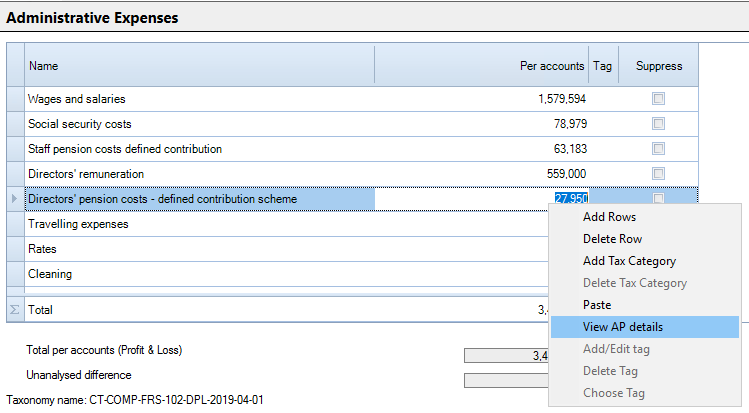
Right clicking on a figure in the Per Accounts column gives the option to View AP Details
clipboard_ee806847944bfeb1ffaf6536413366bdb.png

This will show the nominal account breakdown of the figure in Accounts Production
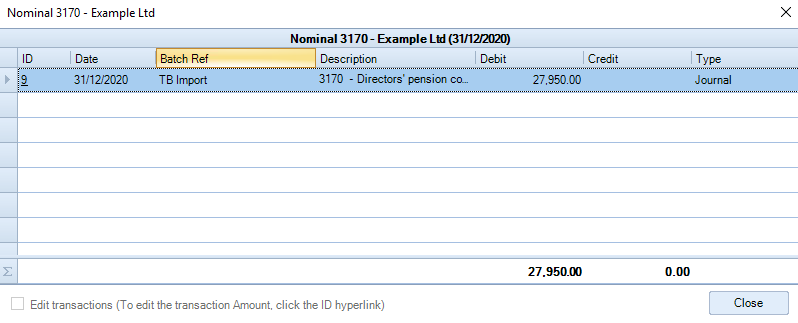
clipboard_e4cd6352a1c9a436cc5072d4232a6c341.png

To make the adjustments for tax purposes please see the section on Linking Products

Related documents

CCH Corporation Tax 2026.3: Release Notes
Release Notes for CCH Corporation Tax 2026.3
CCH Corporation Tax 2026.2: Release Notes
Release Notes for CCH Corporation Tax 2026.2
Getting Started
This document provides a quick start guide for using CCH Corporation Tax software. It outlines essential features such as the Data Navigator, which assists in completing clients' Returns, and the use of Breadcrumbs for navigation. Additionally, it explains the functions available in the Ribbon panel located at the top of the screen. Overall, the document aims to streamline the user experience by highlighting key tools and navigation methods within the software.
Non Trade Loan Relationships
This document outlines topics related to Non Trade Loan Relationships in corporate tax computations. It includes links to sections on Non Trade Loan Relationship Summary, Credits, and Debits, detailing how to input and summarize these tax-related items in the Data Navigator. Each section describes the process for entering data and how totals are summarized for reporting purposes. Additionally, it links to related topics like Foreign Income and Miscellaneous Income.
Document Publishing
This document outlines the options for electronically storing tax returns and computations using CCH Document Management and CCH OneClick. It emphasizes that access to these tools requires appropriate licenses and user rights. Users can publish tax returns and computations both in draft form for client review and at various stages in the submission process to HMRC. The document includes specific links to guides on how to publish documents using both systems.