Creative Industry Trades are dealt with differently than normal trades

A trade should be created for each trade and film in the Trading Income section of the Data Navigator and Films and any qualifying activity under the Creative Industry Scheme should be selected as Creative Industry Trades from the Type dropdown.

clipboard_e1963a2b4b06fa9fe2e6b901543103018.png

Do not enter the Profit/(loss) before tax per accounts for the film in the Film Summary statement
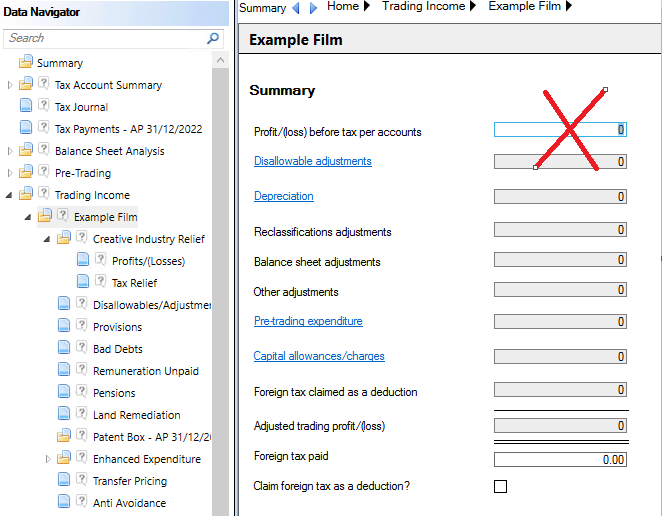
 clipboard_e2286594fd8173680b35e191dce20b01f.png

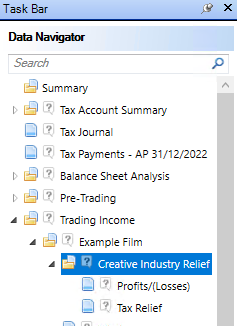
Instead open the creative industry trade within the Data Navigator and select Creative Industry Relief and complete the Profits/(Losses) and Tax Relief input screens.
clipboard_e3259f86bd1bfbdc68588f592c2df210a.png 

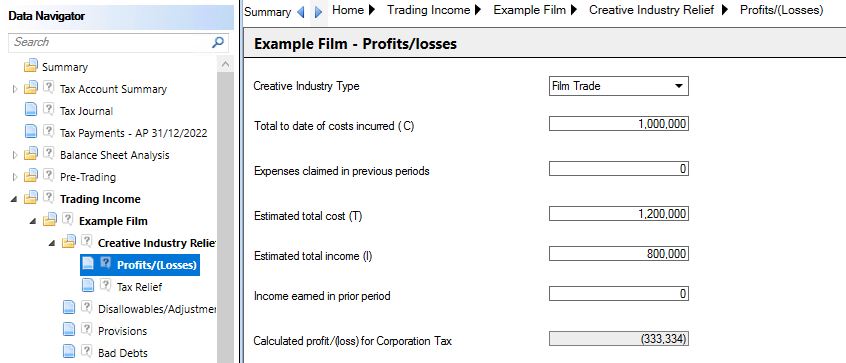
Profits/(Losses)

Select the Creative Industry Type from the drop down menu.
clipboard_e877b27d953c65ac7fb30a9bb490219c0.png

The options available are;

·Film Trade

·Video Gaming

·Television

·Theatre Touring

·Theatre Non Touring

·Orchestra

·Museums and Galleries

Complete the Profits/losses statement by entering;

  • Total to Date of costs incurred (C)
  • Expenses claimed in previous
  • Estimated total cost (T)    
  • Estimated total income (I)    
  • Income earned in prior Period    

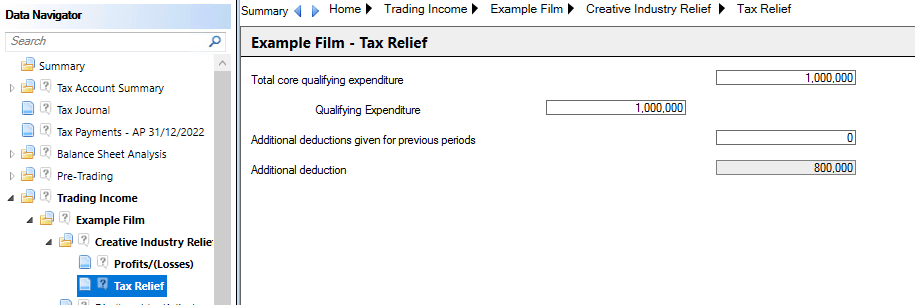
Tax Relief
clipboard_ea89c4c4b888816da7a1e30f0ecb6d0fc.png

Creative Industry losses can be utilised in the Loss Utilisation input screen.
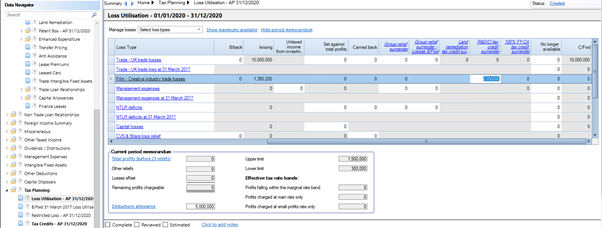
clipboard_e473caed516669e94a79e2fef31cfc698.png

And any credits can be claimed in the Tax Credits input screen where the Tax Credit input is available (dependent on tax position).
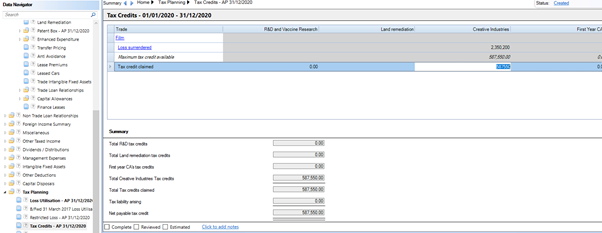
clipboard_e63e7256ad87b8bbe72f573ff7a90af31.png

In the 2021 Budget, HMRC made a temporary change to the rate of tax credits that can be claimed by surrendering losses from certain creative industries.  The tax rates is effectively a sliding scale based on the date the expenditure is incurred and the type of creative industry.  We have amended the warning message to advise the Tax credit claimed can be manually overwritten if the amount due is different.

Related documents

CCH Corporation Tax 2026.3: Release Notes
Release Notes for CCH Corporation Tax 2026.3
CCH Corporation Tax 2026.2: Release Notes
Release Notes for CCH Corporation Tax 2026.2
Getting Started
This document provides a quick start guide for using CCH Corporation Tax software. It outlines essential features such as the Data Navigator, which assists in completing clients' Returns, and the use of Breadcrumbs for navigation. Additionally, it explains the functions available in the Ribbon panel located at the top of the screen. Overall, the document aims to streamline the user experience by highlighting key tools and navigation methods within the software.
Non Trade Loan Relationships
This document outlines topics related to Non Trade Loan Relationships in corporate tax computations. It includes links to sections on Non Trade Loan Relationship Summary, Credits, and Debits, detailing how to input and summarize these tax-related items in the Data Navigator. Each section describes the process for entering data and how totals are summarized for reporting purposes. Additionally, it links to related topics like Foreign Income and Miscellaneous Income.
Document Publishing
This document outlines the options for electronically storing tax returns and computations using CCH Document Management and CCH OneClick. It emphasizes that access to these tools requires appropriate licenses and user rights. Users can publish tax returns and computations both in draft form for client review and at various stages in the submission process to HMRC. The document includes specific links to guides on how to publish documents using both systems.