
CCH Accounts Production (v2) : ROI Tax Links User Guide
ROI Tax Link within CCH Accounts Production
The following master pack for CCH Accounts Production have been updated to cater for the generation of ROI Tax links.
Limited (FRS102) – Master Pack 10.00
Sole Traders – Master Pack 5.00
Partnerships – Master Pack 5.00
Unincorporated – Master Pack 2.00
If you also use CCH Personal Tax IE or CCH Corporation Tax IE, you can easily share data with those applications to avoid the need for re-keying. Click the Tax Link option on the CCH AP Task Bar. The screen then shows a number of tax related balances, which you can edit disallowable totals for.
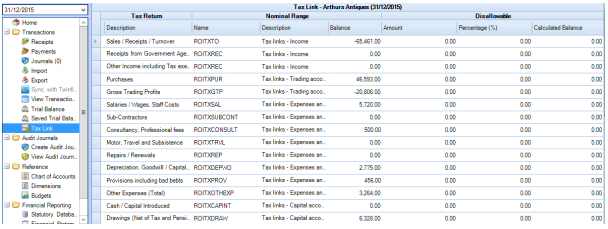
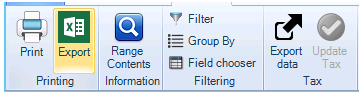
You may use the Range Contents task to identify which nominal codes are making up the range balances displayed. To share that data with Tax, simply click Export data:
Option to select Draft
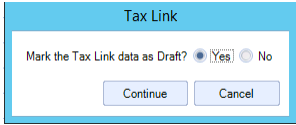
When using the Tax Link function in AP to share data with either Personal Tax or Corporation Tax, the data created is marked automatically as Draft, unless the accounting period has been finalised. When creating the data, there is an option to set the draft flag manually. When selecting Export tax data, the following option will be displayed.
By default, if the accounting period has not yet been finalised, then the "Yes" option will be selected. You may amend the default selection only if they have permission. The permission for this is #Client #Tax Link Amend Draft.
Saving Export File
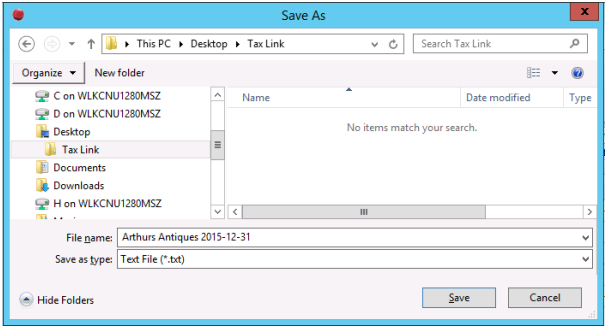
Within the Tax Link window, click Continue. The Save As window will appear:
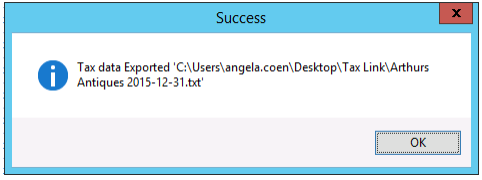
Browse to your recommend file location and click Save, the Success window will appear and click OK.
The file is now ready to import into either CCH Personal Tax IE or CCH Corporation Tax IE.
Export File
Once the file has been exported, it is accessible within notepad:
Information displayed is as follows:
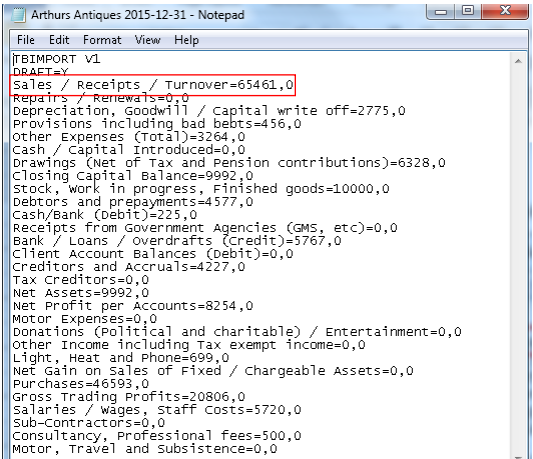
- Tax Category, Nominal Balance, Disallowable amount
Note: Please note that the text for ‘Net Profit per Accounts’ and ‘Net Gain on Sale of fixed/Chargeable Assets’ is flexed so that it will automatically change to Profit/Loss or Gain/Loss depending on the Balance within the Name Ranges.