
How To
Copy an Email Template - HTML format
CCH Central
Some practices may already have an existing template which is used to send out emails to contacts. This could be in the form of an html document. The Email Templates window allows you to copy an existing template.
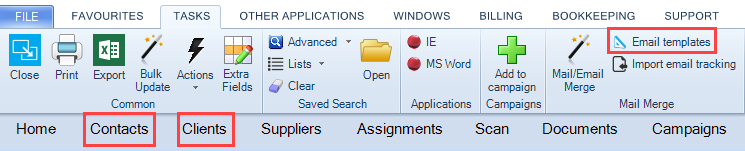
1. From either the Find Contacts or Find Clients search screen, select Email templates from the Task Bar.
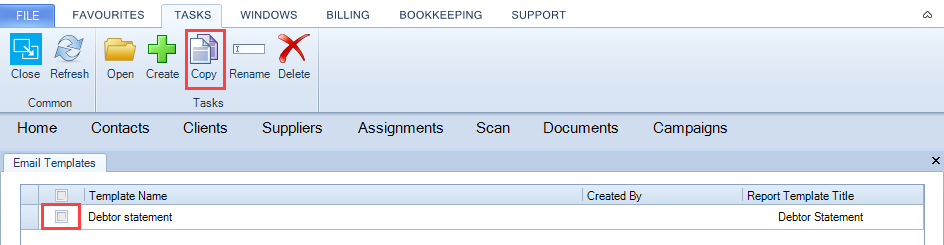
2. The Email Templates tab opens, select the template by ticking on the tick box in the grid and clicking the Copy option from the Task Bar.
3. The following confirmation message is returned.
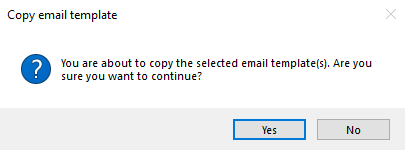
No: cancels the copy option
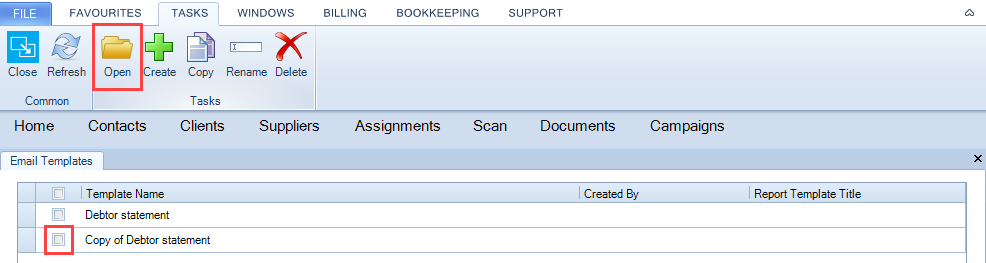
Yes: creates the copy and displays the copy in the email templates list with a prefix of Copy of.
4. Click Open or Double click on the template.
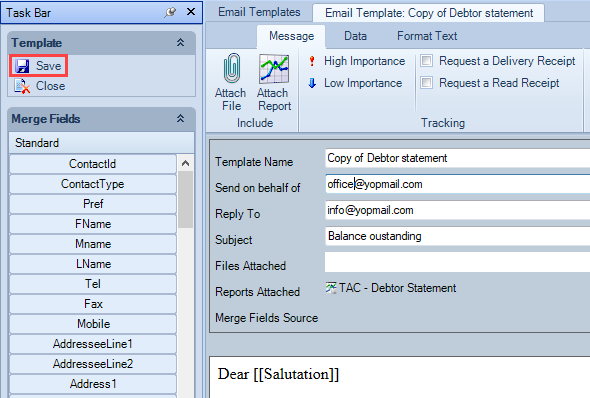
4. The Email Template tab opens, perform any required editing, including amending the name of the template.Once done select Save to apply the changes.
Related documents
CCH Central Suite Update Guide (Latest Offline Version)
The document outlines the process for using the Central Suite Installer Offline (CSI Offline) for customers with specific IT requirements that prevent internet updates. It provides detailed instructions for installing updates to the Central Suite, including necessary prerequisites, folder structure, and the installation steps. Key points include ensuring Microsoft SQL Server is supported, confirming .NET Framework requirements, and the importance of backups before starting the update. The document also highlights the need for administrator rights, handling database upgrades, and checking for office plugin updates, particularly for users of CCH Document Management.
CCH Central Suite 2026.3 Update Guide
This guide explains how to update an existing install of the CCH Central Suite to the latest version 2026.3 (including Service Packs and Hotfixes) using the Central Suite Installer (CSI).
CCH Central 2026.3 Release Notes
CCH Central 2026.3 Release Notes
Central Suite Installer (CSI) instructions
The document announces the update of the Central Suite Installer (CSI) for the CCH Central Suite, now compatible with the latest releases and service packs and hotfixes of various CCH applications. Key points include prerequisites for installation, compatibility information, and the necessity for proper backup before proceeding with the update. It highlights specific requirements for Microsoft components, and it warns users of CCH Accounts Production regarding regional settings for date format. Support options are mentioned for users seeking assistance during the update process. Release notes are accessible for detailed information on the updates.
CCH Central 2026.210 Service Pack
CCH Central 2026.210 Service Pack