
Creating New Periods
Create periods of account and accounting periods
After creating a Corporation Tax client, you need to create a Period of Account.
POAs can only be created or edited from the Tax Returns tab in the client Central record.
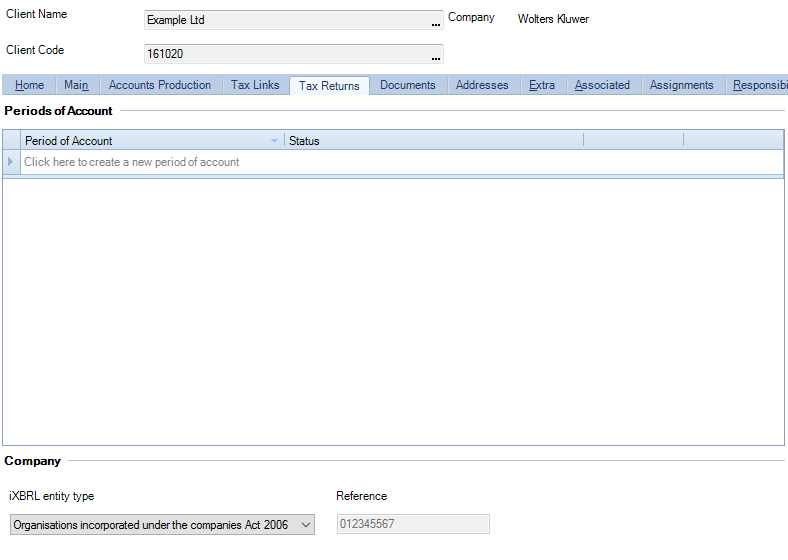
The iXBRL entity type will default to be the Companies Act. The drop-down offers other iXBRL entity types.
Click in the row within the Periods of account box called Click here to create a new period of account .
Enter the Period of account start date or select the date from the date picker.
The software will automatically pre populate the end date with a date 12 months after the start date. either amend the date or select the date from the date picker.
If your period of account is greater than 12 months in length, the system will automatically create two accounting periods. The first will be 12 months long and the other of the remaining months to the end of the period.
If these are not your required periods, you can Edit Accounting Periods.
Rolling forward
Open the client you wish to add another POA to.
Click the Click here to create a period of account link.
The Period of account start date is pre-populated. If you wish to create a Prior Period then amend the date.
The Period of account end date is also pre-populated with the date 12 months from the start date above. If you have created a Prior Period of Account then the end date will be the lower of 12 months from the start date or the date before the start of the following Period of Account if it is less than 12 months.
You can edit this date to shorten or lengthen the period as appropriate.
Clear the Roll forward the tax data check box if required.
The check box is automatically selected but you can edit it.
This box is not available if you create an Earlier Period of Account.
If the new period being created is earlier than the current periods on the system it will not be possible to roll back any information from the present to prior periods.
Selecting Retain notes will roll forward all notes added. This box is not available if you create an Earlier Period of Account.
Click Edit AP's if you want to override the default of 12 months followed by the short period.
You can create Periods of Account (POAs) and Accounting Periods (APs) in both new and existing client files.