
CT600A Loans to Participators and associates
The CT600A input screen is located under Tax Return Information in the Data Navigator.
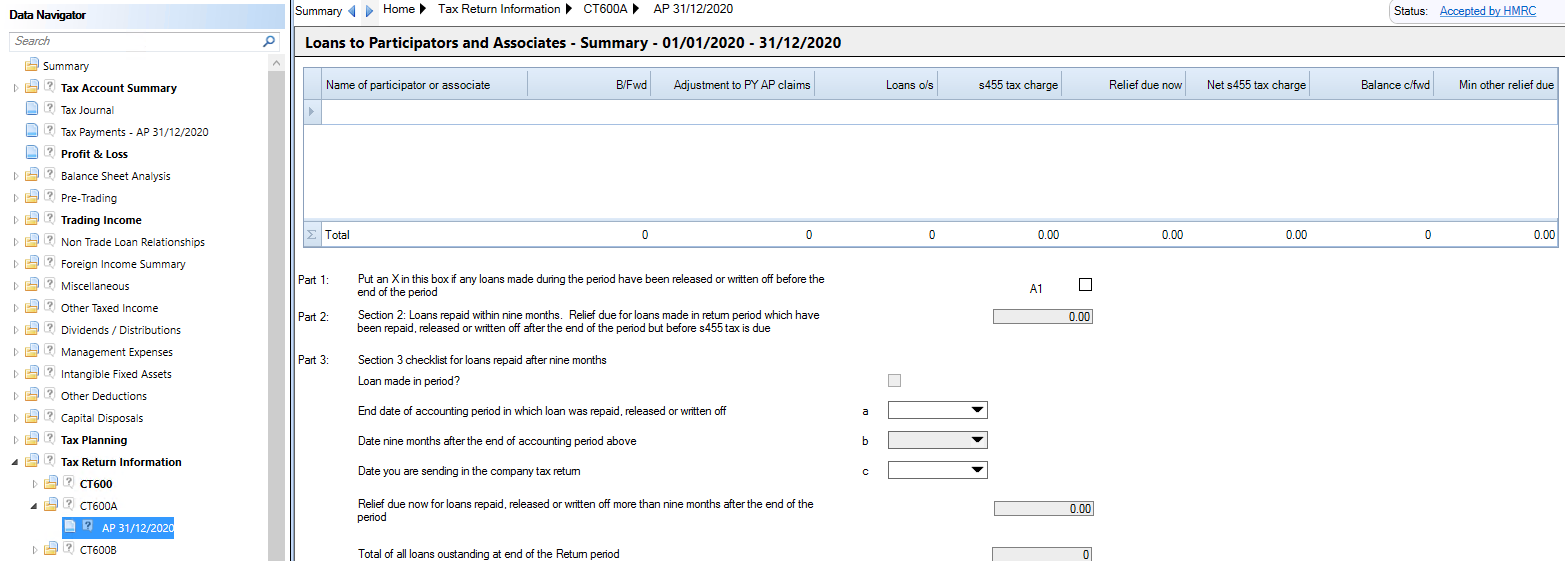
Click under the column entitled Name of participator or associate to open the Detail dialogue window.
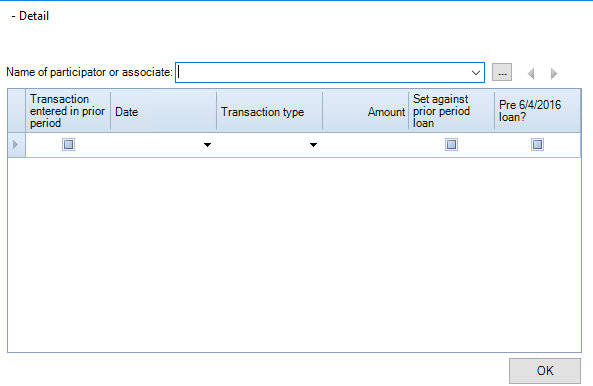
Note - An entry must be made in the Name of participator or associate field before the OK button is selected. Clicking OK when the field is blank will insert an erroneous blank entry which cannot be deleted and will invalidate the submission of the return period and subsequent periods.
The Name of participator or associate can be entered directly, selected from the drown menu of names previously used or uploaded from Central by selecting the ellipsis button and searching for the director in Central.
Note: Repeating the Name of participator or associate on different rows will cause an error on validation.
If this is the first year and the transaction was made in a prior period check Transaction entered in prior period.
The Date of the transaction should be entered or picked from the date picker.
The Transaction type can be selected from the drop down menu.
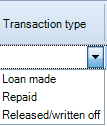
The choices are
- Loan made
- Repaid
- And released or written off
The balance outstanding at the year end date for any current period loans should be entered.
If any of the loan is paid within nine months of the year end it shoudl be entered in this period on a subsequent row within the Detail dialogue.
If any of the loan is repaid after nine months after the year end it should be entered in the next period's Detail dialogue, and the Set against prior period checkbox should be flagged.
For Loans made to Participators within the period from 6 April 2022 to 5 April 2023 – it is charged at a tax rate of 33.75%.
For the repayment of loans brought forward from earlier years, select the period in which Loan Made from the drop down menu so the correct rate of tax is displayed.
Any s455 tax or relief due is calculated and displayed.
Details of any other directors’ loans should be made on subsequent rows.
Selecting the hyperlink in the Name of participator or associate column will open the Detail dialogue.
Complete Part 3 Section 3 if the loan is repaid in the circumstances outlined within the CT600 guide.