The Current Tax Reconciliation reconciles the tax charge on the profits at the CT rate to the Current Tax Charge.

Tax on charge on Profits at CT Rate

The tax rate can be overidden in the Tax Rate override.
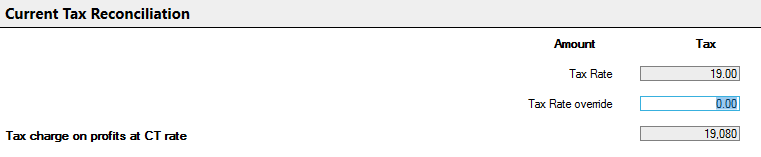
clipboard_e2d5e67ac082309366bf26932ee1cf356.png

The Amount column displays amounts and the Tax column displays the tax calculated on those amounts.

The differences are then broken down by category.

Fixed asset differences

clipboard_e273eed78f13538f8b4b5c55aa976c944.png

The amount of depreciation and profit/(loss) on disposal of fixed assets arising on assets not qualifying for capital allowances will be completed based upon the entries made in the non-qualifying assets data entry area.

Enter amounts of depreciation arising on other assets that do not qualify for capital allowances not already included in above.

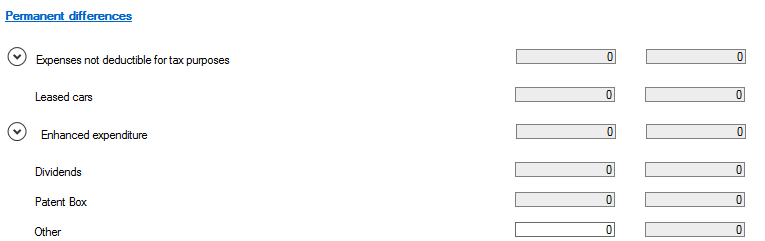
Permanent differences

The entries for the permanent differences are taken from the corporation tax computation.  It is not possible to identify all entries that are permanent or timing differences so manual entries may be required to be made.
clipboard_e841443d2d2e8ea5204159b8dcd906124.png

Section can be expanded by clicking on the clipboard_e99d2ca8805c2f241a47867f36dda3d9b.pngicon.

Capital Gains are not populated from the computation and so should be entered manually

clipboard_e21ee63bd3e7a3c717d9867c15715e0ec.png

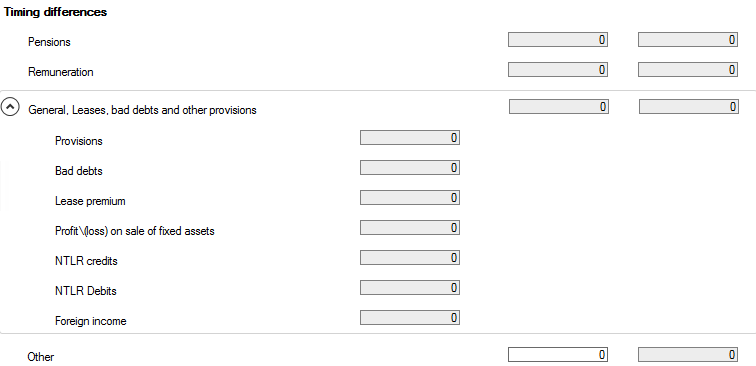
Timing Differences

Timing differences are calculated and displayed
clipboard_eefd54e098d093db62f73f61b7256f3a9.png

Group Relief is calculated from the computation. 

clipboard_e3f131d718e6b4780f24d3c6a434037c0.png

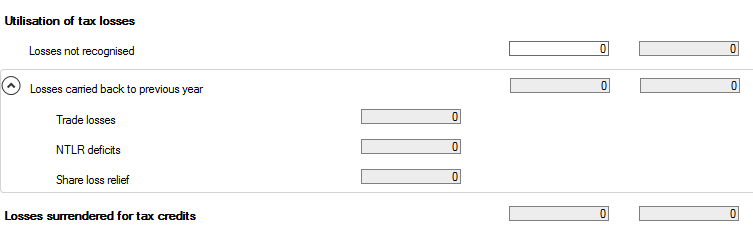
Utilisation of tax losses and other entries

An entry can be made in the Difference in tax rates on profits and in Losses not recognised.
clipboard_e9ba9ab609645aec210ed243759d575cb.png

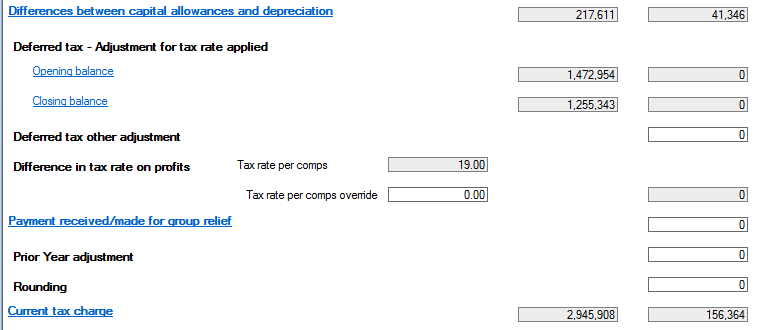
The differences between capital allowances and depreciation are shown, followed by the opening and closing deferred tax balances and any other reconciling items to the current tax charge displayed at the base of the input screen.
clipboard_e270faf9e3480f91f208e8f47f6c91e35.png

Related documents

CCH Corporation Tax 2026.3: Release Notes
Release Notes for CCH Corporation Tax 2026.3
CCH Corporation Tax 2026.2: Release Notes
Release Notes for CCH Corporation Tax 2026.2
Getting Started
This document provides a quick start guide for using CCH Corporation Tax software. It outlines essential features such as the Data Navigator, which assists in completing clients' Returns, and the use of Breadcrumbs for navigation. Additionally, it explains the functions available in the Ribbon panel located at the top of the screen. Overall, the document aims to streamline the user experience by highlighting key tools and navigation methods within the software.
Non Trade Loan Relationships
This document outlines topics related to Non Trade Loan Relationships in corporate tax computations. It includes links to sections on Non Trade Loan Relationship Summary, Credits, and Debits, detailing how to input and summarize these tax-related items in the Data Navigator. Each section describes the process for entering data and how totals are summarized for reporting purposes. Additionally, it links to related topics like Foreign Income and Miscellaneous Income.
Document Publishing
This document outlines the options for electronically storing tax returns and computations using CCH Document Management and CCH OneClick. It emphasizes that access to these tools requires appropriate licenses and user rights. Users can publish tax returns and computations both in draft form for client review and at various stages in the submission process to HMRC. The document includes specific links to guides on how to publish documents using both systems.