
Home Page Controls
The Central Home Page allows you to have customised views of data that is held within Central. For overall details of how the Home Pages work see Home Page in the CCH Central help section.
This section covers the controls that are available for use to display Document Management data.
Home Page Control options
There are two controls available.
- Document Tasks - provides a variety of task related options, including your "inbox".
- Document Centre - allows you to show either recent documents or checked out documents.
Document Tasks
This control lists any documents that have open tasks. It is sometimes referred to as the “Document Inbox”.
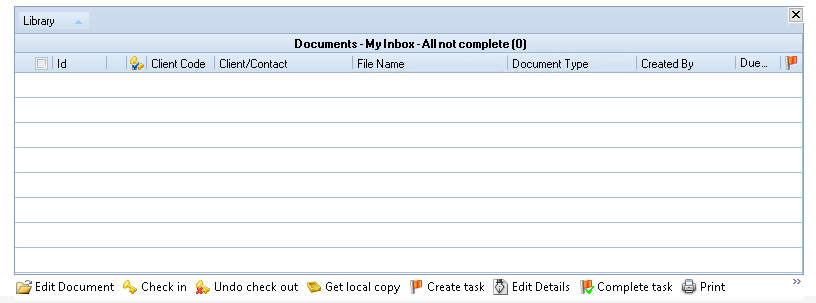
There are a variety of view options which can be set. For any layout changes to be retained you should ensure that you have the Customise homepage toolbox open before changing the view. Right click anywhere on the control to bring up a menu with the following options.
|
Document Inbox (My Inbox) |
Added today |
Will show any documents with open tasks that were added today. |
|
Added in last week |
Will show any documents with open tasks that have been added in the last week. |
|
|
All – Not complete |
Will show any documents with open tasks that have not been completed |
|
|
Assigned by me |
Will show any documents with open tasks that I have assigned. |
|
|
My client tasks |
Will show documents with open tasks for any clients where your Responsibility type is set to Manager or Partner. |
|
|
Document Inbox – By Employee (Specified Employee Inbox) |
Added today |
Will show any documents with open tasks for a selected employee that have been added today. |
|
Added in last week |
Will show any documents with open tasks for a selected employee that have been added in the last week. |
|
|
All – not complete |
Will show any documents with open tasks for a selected employee that have not been completed. |
|
|
Assigned by |
Will show any documents with open tasks that have been assigned by a selected employee. |
Document Centre
There are two views available on this control, Checked out documents (selected by default) which lists any documents which you have still got checked out, and Recent documents which will list the 20 documents you have most recently accessed.
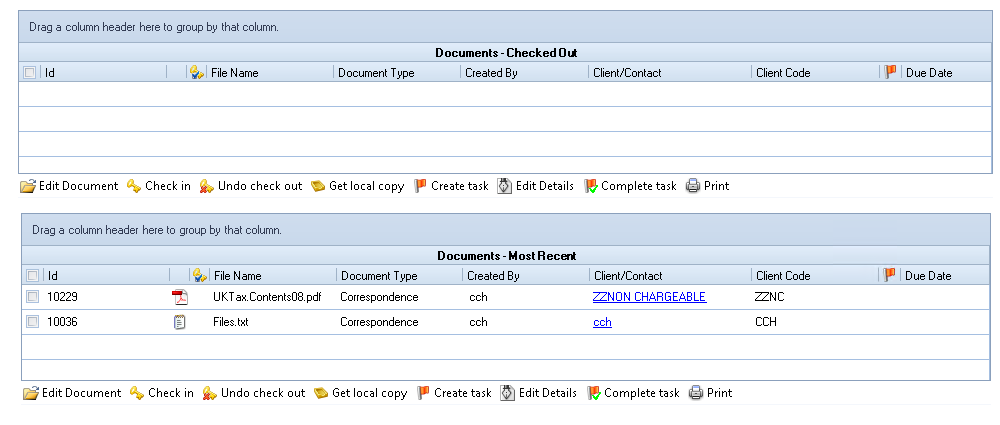
Common Document Home Page functions
Within the views you have the usual Home Page control functionality to add and remove fields.
Depending on your system settings, hovering over or, clicking the document type icon will display a snapshot of the document.
Hovering over a task flag will show who the task is assigned to and the task description.
To assign the document to another staff member double click on the task flag. This will open the To do dialogue box for that item.
There are also button options available at the bottom of the controls.

To use these tick the checkbox to select a document then:
Click on the Edit Document button at the bottom of the control to checkout and open a document for editing.
If a document is checked out to you click on the Check in button to check the document back in with any changes you have made, or the Undo check out button to revert to the version of the document before you made any changes.
Use Get local copy to take a copy of the document to your local drive.
Create task will open the To do window, allowing you to allocate a task to the document.
Edit Details is available for documents that are in the Pending library. This window allows you to move the document to a different library and add any applicable profiling information.
Complete task will mark a task as complete.
Note: Tasks cannot be marked as complete while the related document is still in the Pending library.
Click Print to send the selected document(s) to your default printer.
Available Columns
Within the views you have the usual Home Page control functionality to add and remove fields.
|
Field |
Available on Centre/Tasks/Both |
|
Assigned To |
Both |