Explains what CCH Working Paper Management does.

To set-up the homepage

From the Central Home screen, choose a blank View from the View icon on the ribbon, or a view you are not using.

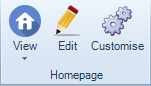
Click on the Customise cog icon on the top ribbon.
clipboard_ebc2fddf4742784a807f18209fa950e9a.png

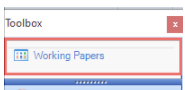
From the Toolbox pop-up, select the Working Papers drawer, click on to Working Papers, drag, drop and resize as you wish. 

clipboard_ee1713187e5f0a85d5c7ee79e286ea3a2.png

clipboard_ef71cc7ea81da05dc4cff6972229d64ac.png

You may also bring in hidden columns from the Field chooser, to access the field chooser right click and double click to on the column to be included on the homepage.

The homepage may be filtered or sorted according to the filter options or radio buttons below.

clipboard_e34991f1d2bf2aa07957451c630638177.png

At the foot of the homepage there are 3 tabs so that you can display notes, links and sign-offs.

clipboard_e7a8836c917a2f7caaae472ce1c44f548.png

Once you have completed close the Toolbox to save.

From the Edit button on the ribbon you are able to rename the homepage.

Related documents

Quick Start Guide
The document provides an overview of CCH Working Paper Management, a module integrated with CCH Accounts Production that facilitates the organization and management of working papers linked to financial statements. Key features include customizable templates, review functionalities, and centralized storage, which enhance workflow consistency and transparency across accounting practices. The module is equipped with restrictions related to specific master packs and user permissions. Overall, it aims to streamline accounting processes, improve collaboration, and maintain document integrity within the CCH software environment.
CCH Working Paper Management - Known Issues
The document outlines known issues related to CCH Working Paper Management as of June 2022. It details specific problems, such as PDF preview failures, tree node collapses during reviews, and errors with the statutory database. Workarounds are provided for some issues, while others are marked "TBC" (to be confirmed). It encourages users to join the CCH Central 'Group' on the Support Portal for updates on management tools and issues.
CCH Working Papers 2020.3 Hotfix: Release Notes
The document presents the release notes for CCH Working Papers 2020.3 Hotfix by Wolters Kluwer (UK) Limited. It emphasizes the importance of consulting the latest release notes for updates. The document includes a legal disclaimer stating that the information provided is for informational purposes only, and Wolters Kluwer is not liable for any inaccuracies. It also notes that all content is confidential and proprietary. Trademark information for various software is mentioned, along with a copyright statement prohibiting unauthorized reproduction or distribution of the release notes.
CCH Working Papers 2024.2 Hotfix: Release Notes
The document contains release notes for CCH Working Papers 2024.2 by Wolters Kluwer (UK) Limited, emphasizing the effort to ensure accuracy and completeness. It includes a disclaimer noting that the information is subject to change and should not be relied upon as a detailed software specification. The content is confidential and protected by copyright. Trademark rights are acknowledged for various software products. The document serves informational purposes and outlines the company's legal position regarding liability and intellectual property.
Working Papers Designer
This document outlines the steps to configure a master-level pack for working papers using the Working Papers Designer. It instructs users to navigate to the appropriate menu path, select the desired entity, and choose the newly created master pack for setup. Visual aids are included to assist in the process.