Wolters Kluwer Academy:  Login guidance for users and administrators

Login with direct access to Wolters Kluwer Academy

If your organisation's Wolters Kluwer Administrator has enabled your access to Wolters Kluwer Academy, you can login directly: https://academy.wolterskluwer.co.uk

Click the blue box 'Sign in with your Wolters Kluwer Account' at the top left.

clipboard_ececa9e6a413176788872384d4fa49219.png

When you see a pop up appear, click the blue box shown once again

 

clipboard_e4c73569165c8ca82bc91c63ed0667b08.png

Login instructions for Support Portal users

If you are a Support Portal user that has been given access to Wolters Kluwer Academy, you can login from within the Support Portal (https://help.wolterskluwer.co.uk/Customer/s/) by clicking on the Wolters Kluwer Academyhomepage tile. 
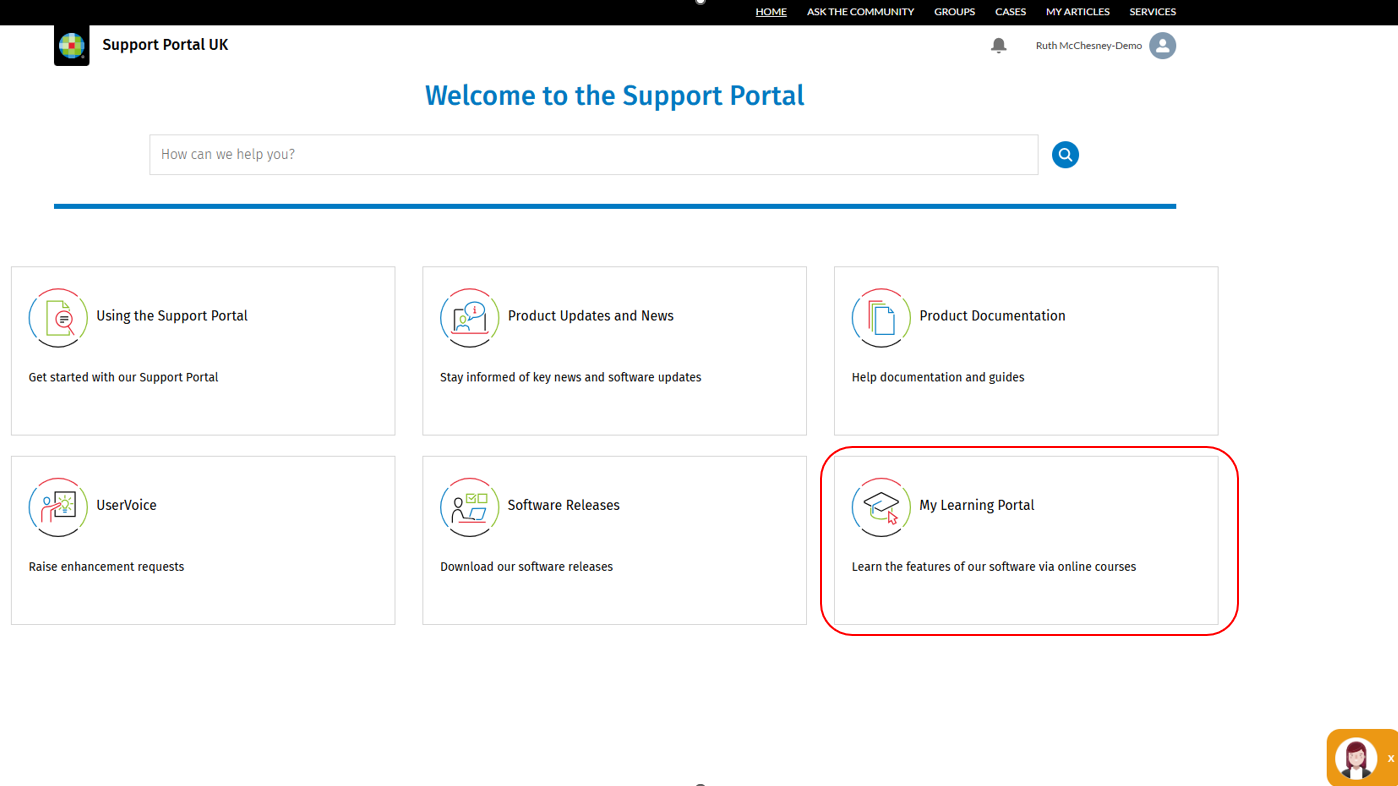
clipboard_ec79c2cf9dc53d8bb04c278251a4f173d.png

What to do if Access is Denied

If you are denied access to Wolters Kluwer Academy, this must be resolved by your organisation's Wolters Kluwer Administrator.  If you know who that is, ask them to give you access to Wolters Kluwer Academy.  Below are some instructions to help your Administrator provide you with access.
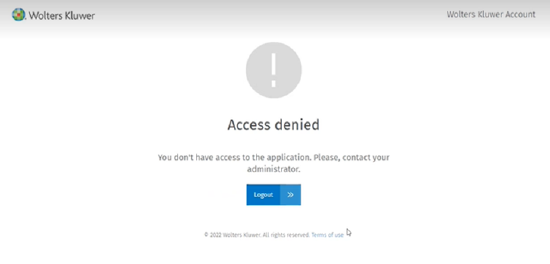
 

clipboard_e71a580226b65508001545c387f58eab2.png

If you don't know who your Administrator is, please get in touch with a member of our Support Team.

Instructions for Administrators 

As a Wolters Kluwer Account Administrator for your organisation, you will need to provide access to applications via the Wolters Kluwer self-service area unless you are a CCH iFirm customer in which case please click here to access your Admin help guide.  

Self-service: Adding Wolters Kluwer Academy to a user account

In self-service scroll to the list of People to find the applicable user. 

Once you have found the correct user, click the spanner icon beside their name and click Add.  This will display the available applications for them. 

Click the slider to the left of the Wolters Kluwer Accountapplication name.


Finally, click Save to enable access to the Wolters Kluwer Academy application for the user.

Please note:this process does not send a separate email to a new user. This means that if you are adding an application to an existing Support Portal user, you will need to inform the new user that they now have access to that application.


​

Related documents

Release Schedule 2026
The document provides information about joining groups for updates on Wolters Kluwer software releases, particularly in the Tax and Accounting sector. It details scheduled releases for various software, including CCH Central, CCH OneClick, and CCH iFirm, along with specific dates and software functionalities. Key upcoming versions include CCH Central 2026.3 and several CCH iFirm releases throughout Q3/Q4 of 2026, focusing on enhancements and bug fixes across their suite of services. Users are encouraged to provide feedback through the relevant groups.
Northern User Group (NUG) Officers
The document outlines the key positions within the Northern User Group, including roles such as Chair Person, Secretary, and various sub-group chairs (CCH Accounting, CCH Trust Accounts, and CCH Central). It provides contact information for the Group Chairman, Stephen Leonard, including his email and phone number for inquiries.
How to Join the Northern User Group (NUG)
The CCH Northern User Group offers a 2025 subscription for £445, allowing unlimited delegate attendance at meetings. Founded in 1985, the group has undergone several name changes but remains independent of CCH. It now consists of various product sub-groups related to tax, accounting, and practice management. Members find the membership benefits exceed costs compared to traditional seminars. Potential members are encouraged to contact the Group Chairman for inquiries or to apply. Members can also engage in discussions and updates through a Support Portal group.
Scottish User Group (SCUG) Meetings
The Scottish User Group (ScUG) fosters collaboration among Wolters Kluwer customers, providing a platform for firms to share knowledge and best practices. Established in 2001, it currently includes about 50 members from 26 firms across Scotland. Meetings, held biannually, feature product updates from Wolters Kluwer and discussions on pertinent topics like tax legislation and operational efficiency. Members are encouraged to participate actively and suggest agenda topics. The next meeting is scheduled for March 19, 2026, at the Apex Dunblane Hydro Hotel. Interested individuals can contact Anne Melville for membership details.
How to Join the Scottish User Group (SCUG)
The Scottish User Group (SUG) offers Wolters Kluwer customers a platform for networking, learning, and influence. Members gain direct access to experts, share best practices, engage in topical discussions, and can customize their participation. The group fosters a supportive peer network focused on practical applications rather than sales. New members are welcome, and interested firms can contact the Secretary, Anne Melville, for more information. Additionally, members can join the SUG group on the Support Portal for updates and interactions within the community.