How to IXBRL tag the Profit and Loss in the Tax Computation
Tagging the detailed Profit & Loss
It became mandatory to tag the detailed profit and loss for accounting periods commencing on or after 1 April 2014. The detailed profit and loss can be tagged in either the Accounts via CCH Review & Tag or within the corporation tax computation.
HMRC require a tagged detailed profit & loss to be submitted with either the accounts or computations.
HMRC request that you attach a tagged DPL to the tax computations where the Accounts being submitted do not contain a Detailed Profit and Loss Account. By importing the P&L figures and tagging them in CT you are providing this to HMRC within the computation submitted with the CT Return.
Before you start to tag the entries in Corporation Tax (after inserting the P&L and pulling through the data from Accounts Production) you should check to see if the DPL in the Accounts has already been tagged. If you are unsure you may wish to speak with the person who prepared the Accounts online submission file within your organisation. If the DPL is tagged within the accounts online submission file (the HTML file) then any tags included in the Corporation Tax DPL will be removed prior to the submission of the form CT600 to HMRC.
To tag the Profit & Loss in CCH Corporation Tax, insert the Profit & Loss.
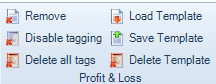
Select Enable tagging from the Profit & Loss section of the top Ribbon.

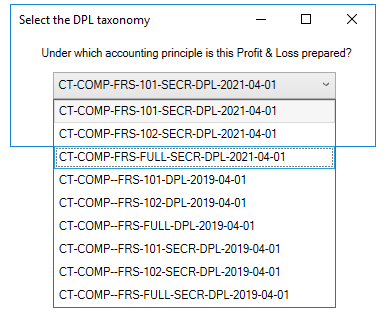
Confirm the Taxonomy to be used and click OK.
Items will be automatically tagged based upon the descriptions used in each of the analysis data entry areas.
Tagged values are indicated by the blue dot alongside the value within the Tag column.
Items which are not tagged automatically are items where
- There is more than one tag that could be applied - the value will display a red dot
- The description used has no associated tag within the data dictionary - the tag column will be blank
To tag values where there could be more than one possible matches click on the red dot in the Tag column, select the appropriate tag from the options available and click Add.
If you wish to edit a tag or where value has no tag and the tag column is blank, right click and Select Add/Edit tag
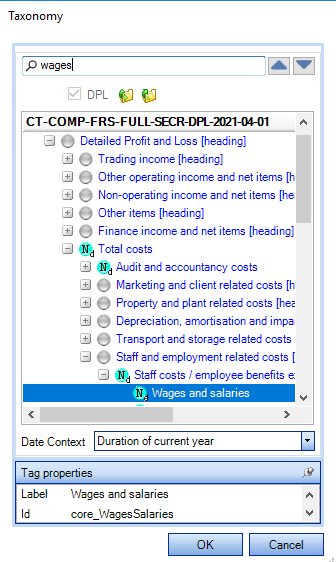
Search the taxonomy for the appropriate tag and click OK.
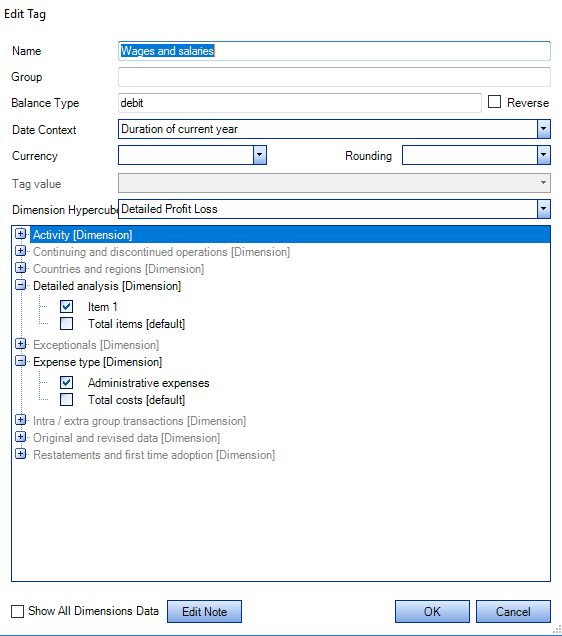
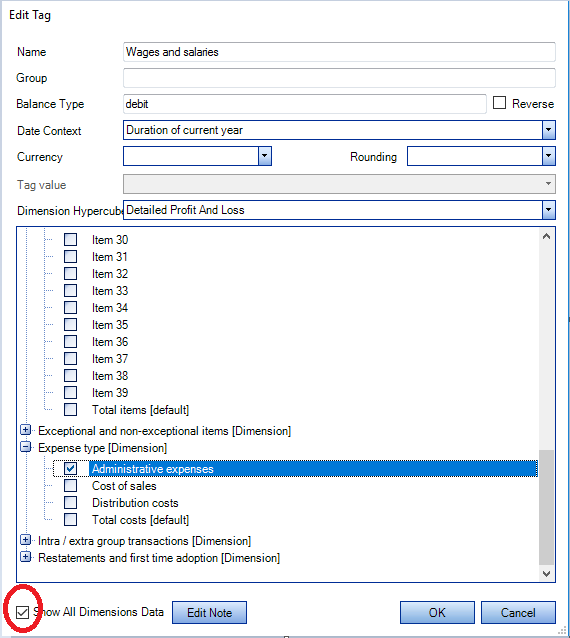
In the Edit Tag window check the Show All Dimensions Data flagTick the box Show all dimension data and confirm the appropriate dimensions to ensure no online filing errors.
Roll forward to new periods of account
The tagged detailed profit & loss is carried forward to subsequent periods of account with the tags already applied together with the associated dimensions.
The tags and dimensions will be lost if the descriptions are changed either manually or by updating from CCH Accounts Production.
There are options to Delete All Tags and Disable Tagging in the Profit & Loss secion of the top Ribbon.