
How To
Shipping Profits
CCH Corporation Tax
This is where the entries to compute the tonnage tax profits are made and the optional section for relevant shipping profits are entered.
Tonnage Tax profits and Relevant shipping profits
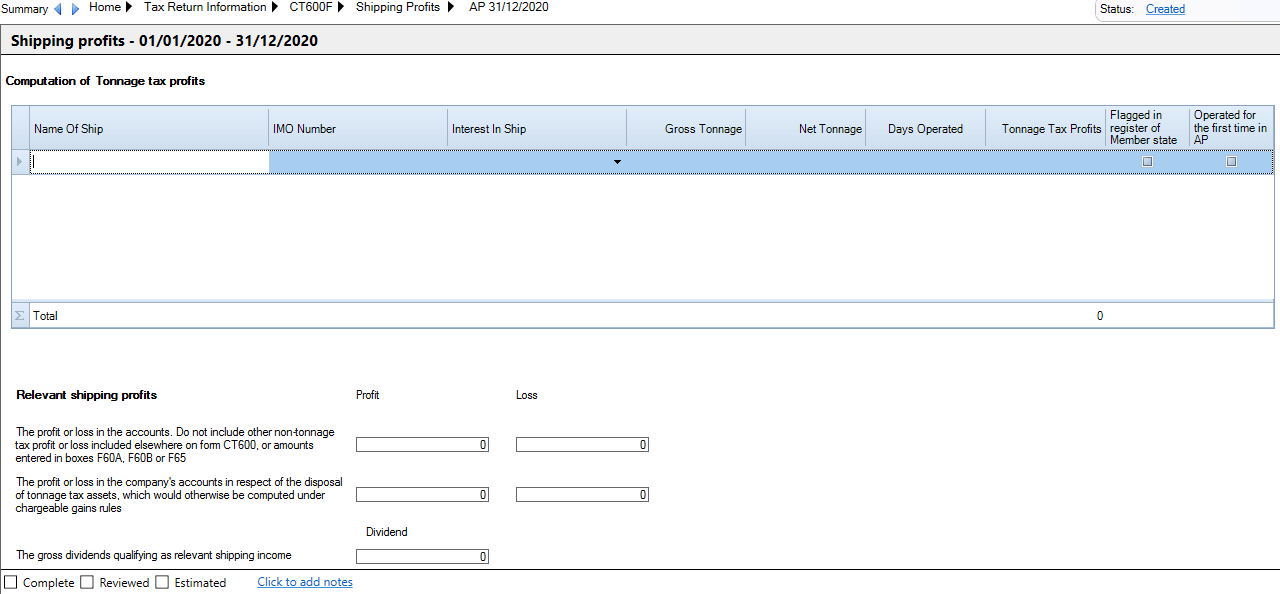
Computation of Tonnage Tax profits
Enter the Name of ship.
The IMO Number - must be 8 characters
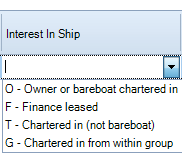
Interest in Ship - Select from the drop down
Enter the Gross Tonnage and Net Tonnage.
Enter the Days Operated
Tonnage Tax Profits will be automatically calculated.
Check Flagged in register of Member State or Operated for the first time in AP if required.
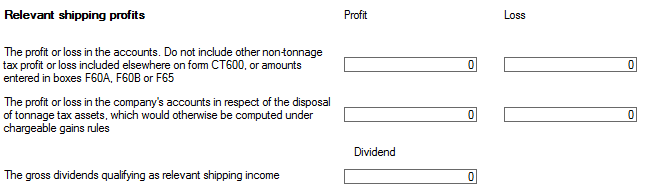
Relevant Shipping profits
Complete the inputs as per the CT600F.
Notes
Notes can be added to this window. All notes will appear as an appendix to the Corporate Tax computation. Click the click to add notes link at the foot of the data entry area
Related
Related documents
CCH Corporation Tax 2026.3: Release Notes
Release Notes for CCH Corporation Tax 2026.3
CCH Corporation Tax 2026.2: Release Notes
Release Notes for CCH Corporation Tax 2026.2
Getting Started
This document provides a quick start guide for using CCH Corporation Tax software. It outlines essential features such as the Data Navigator, which assists in completing clients' Returns, and the use of Breadcrumbs for navigation. Additionally, it explains the functions available in the Ribbon panel located at the top of the screen. Overall, the document aims to streamline the user experience by highlighting key tools and navigation methods within the software.
Non Trade Loan Relationships
This document outlines topics related to Non Trade Loan Relationships in corporate tax computations. It includes links to sections on Non Trade Loan Relationship Summary, Credits, and Debits, detailing how to input and summarize these tax-related items in the Data Navigator. Each section describes the process for entering data and how totals are summarized for reporting purposes. Additionally, it links to related topics like Foreign Income and Miscellaneous Income.
Document Publishing
This document outlines the options for electronically storing tax returns and computations using CCH Document Management and CCH OneClick. It emphasizes that access to these tools requires appropriate licenses and user rights. Users can publish tax returns and computations both in draft form for client review and at various stages in the submission process to HMRC. The document includes specific links to guides on how to publish documents using both systems.