
What is CCH KPI Monitoring?
CCH KPI Monitoring is (BAM) Business Activity Monitoring software that automates redundant, repetitive tasks currently done manually. For accountants who want access to real-time automated business information.
Every business strives to be as efficient as possible, and this is just as relevant in the competitive world of the accountancy profession, where time is money and clients are demanding more value-added services along with what you would expect from a 'typical' accountant.
- Do you find yourself dealing with problems that could have been prevented if the right data had been available to you?
- Do you spend time manually chasing information or asking for updates?
- Do you need client and practice information 'real-time'?
- Would you benefit from a 'virtual admin assistant' that monitors your Central databases and automatically alerts you or produces reports when pre-defined conditions are met?
CCH KPI Monitoring - Monitors your system 24/7, so you don't have to
Why CCH KPI Monitoring?
- Provides actionable insights that help you to make more proactive and better-informed business decisions
- Minimises risks & identifies issues before they become problems
- Real-time, relevant information is generated in a variety of formats
- Software is fully customisable to your practice needs
- Automates redundant, repetitive manual tasks
- Allows you more time to spend on attracting new business and servicing existing clients
CCH KPI Monitoring allows you to set up 'exception' alerts where you are informed (by email, text or WhatsApp) when something has happened or is likely to happen. You can deal with the issue before it becomes a problem.
Additional functionality allows you to automatically distribute business-critical reports and information, as well as being able to automatically push missing or updated information back into your database
Whether your team are reminded to post their timesheets, you're made aware of clients exceeding their budget or payment limits, or you're managing key deadlines across the practice, CCH KPI Monitoring monitors your system 24/7 so you don't have to!
Sample Alerts
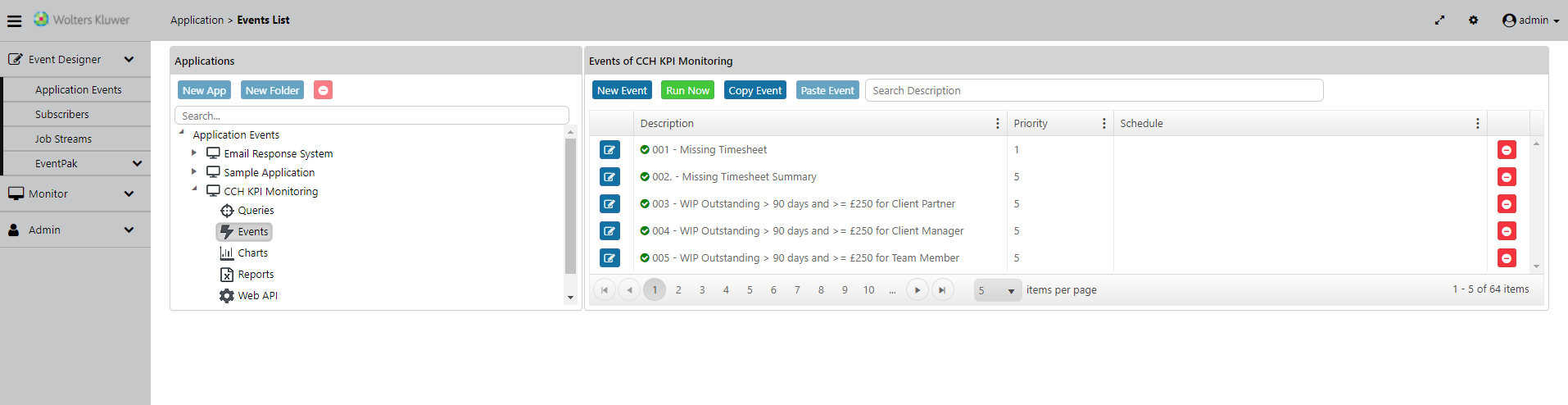
As well as being fully customisable to your needs, CCH KPI Monitoring comes with a predefined list of alerts that can be used by your practice. Examples include:-
- Missing timesheets
- New clients this month
- Clients closed last month
- Addresses without 1st line of address or postcode
- Draft bills outstanding
- Losses over £X for last month
- WIP over 80% of budget
- WIP outstanding over £X
- WIP/Debt more than 90 days and over £X
New features in version 10
- Alert on Cloud databases using REST APIs
- Native SMS alerting
- Report generation via Microsoft SQL Server Reporting Services
- A more powerful chart design module
- A more powerful Visual Basic scripting tool
- Sending standard forms, charts, reports, and files via Secure FTP (SFTP)
- An event may be triggered by a combination of data returned from queries and from web APIs
- An HTML editor has been added to the Email alert message design option
Customer case studies
View a customer case study to see how a practice is utilising the efficiencies of CCH KPI Monitoring.
Webinars
Boost your accounting practice's growth with Power BI and CCH KPI Monitoring
ROI Calculator
 | View the ROI calculator - To see how beneficial CCH KPI Monitoring could be for your practice* *Disclaimer: The ROI Calculator is made available on an 'as is' basis without warranty of any kind. To the maximum extent permitted by law, we, other members of our group of companies and third parties connected to us expressly exclude any and all liability to you in connection with your use, inability to use or results from the use of the ROI Calculator. The information and results displayed are estimates of potential costs and/or savings achieved when using our CCH KPI Monitoring software and you understand and agree that actual results may vary. |