How can we help you? 

Our search bar on the Support Portal homepage is designed to locate answers to your product or user queries.  Simply type in your question using the product name and any key words that you would use in a verbal question and check the list for relevant articles.

Use Quickview to see if the article will help you.  You can also filter your search based on the type of article you would like to see and the product category.

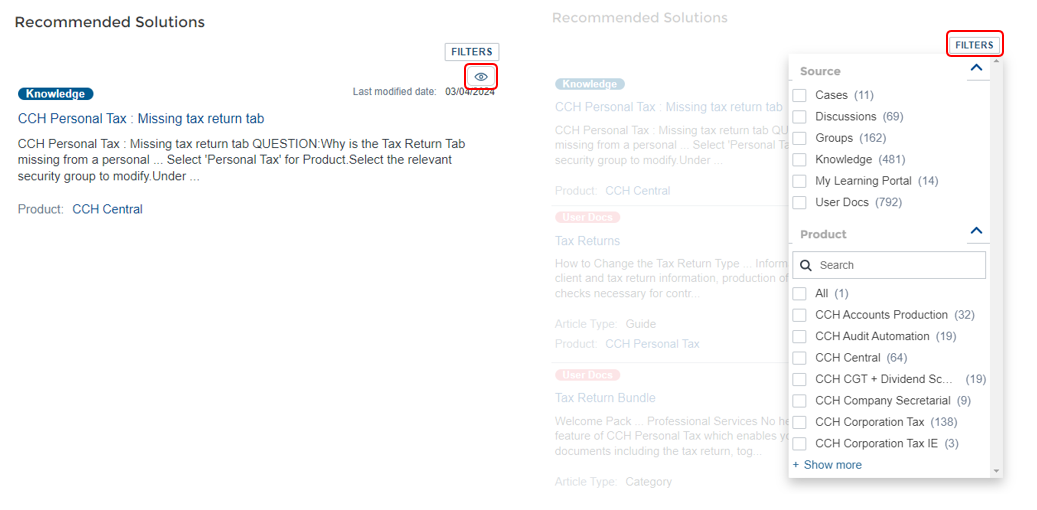
clipboard_ecafd53ba8158c0b079bd9edc418c21e2.png
clipboard_ea85787db2f1dc46b215cedfd5d73273b.png

Virtual Assistant - all support options in one place

Login to the Support Portal and click on the Virtual Assistant icon located bottom right of your homepage screen to start your support journey.

Our Virtual Assistant offers you a range of support options:

  • Search our knowledge base for helpful articles
  • Complete the case form and select from:
    • Email support
    • Telephone support
    • Live chat - you will only see this option when we have a support agent available to chat
Onboarding_access_customer_support_1.png

Product/User Related Questions

For specific questions about product usage or expertise, Ask the Community is a great option.  You will be in touch with other product users who may be able to provide the insight you are looking for.
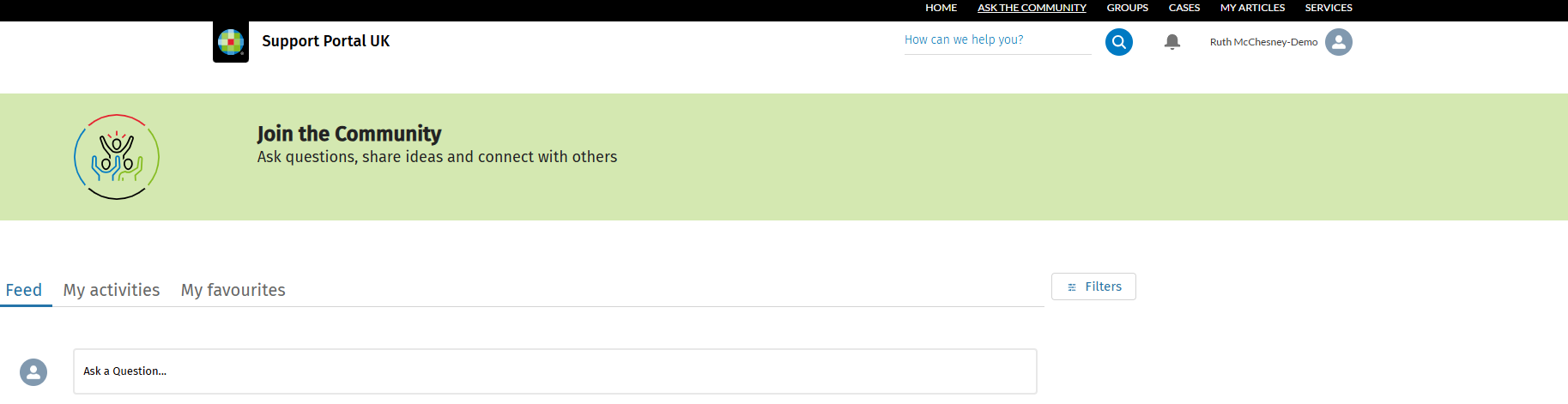
clipboard_e51d6019ccaeedbb55cf86272f09a27a3.png

Raising a Support Case

If you have used our search feature and are unable to find your answer, you can raise a support case and one of our agents will email you back.  You will find the cases tab in the top menu of the Support Portal.  If you have never raised a support case previously, please see our step by step guide. 

Urgent Support

If your support query is urgent, select an urgency reason in the Reason for me to create this case field of your case form.

Related documents

Release Schedule 2026
The document provides information about joining groups for updates on Wolters Kluwer software releases, particularly in the Tax and Accounting sector. It details scheduled releases for various software, including CCH Central, CCH OneClick, and CCH iFirm, along with specific dates and software functionalities. Key upcoming versions include CCH Central 2026.3 and several CCH iFirm releases throughout Q3/Q4 of 2026, focusing on enhancements and bug fixes across their suite of services. Users are encouraged to provide feedback through the relevant groups.
Northern User Group (NUG) Officers
The document outlines the key positions within the Northern User Group, including roles such as Chair Person, Secretary, and various sub-group chairs (CCH Accounting, CCH Trust Accounts, and CCH Central). It provides contact information for the Group Chairman, Stephen Leonard, including his email and phone number for inquiries.
How to Join the Northern User Group (NUG)
The CCH Northern User Group offers a 2025 subscription for £445, allowing unlimited delegate attendance at meetings. Founded in 1985, the group has undergone several name changes but remains independent of CCH. It now consists of various product sub-groups related to tax, accounting, and practice management. Members find the membership benefits exceed costs compared to traditional seminars. Potential members are encouraged to contact the Group Chairman for inquiries or to apply. Members can also engage in discussions and updates through a Support Portal group.
Scottish User Group (SCUG) Meetings
The Scottish User Group (ScUG) fosters collaboration among Wolters Kluwer customers, providing a platform for firms to share knowledge and best practices. Established in 2001, it currently includes about 50 members from 26 firms across Scotland. Meetings, held biannually, feature product updates from Wolters Kluwer and discussions on pertinent topics like tax legislation and operational efficiency. Members are encouraged to participate actively and suggest agenda topics. The next meeting is scheduled for March 19, 2026, at the Apex Dunblane Hydro Hotel. Interested individuals can contact Anne Melville for membership details.
How to Join the Scottish User Group (SCUG)
The Scottish User Group (SUG) offers Wolters Kluwer customers a platform for networking, learning, and influence. Members gain direct access to experts, share best practices, engage in topical discussions, and can customize their participation. The group fosters a supportive peer network focused on practical applications rather than sales. New members are welcome, and interested firms can contact the Secretary, Anne Melville, for more information. Additionally, members can join the SUG group on the Support Portal for updates and interactions within the community.