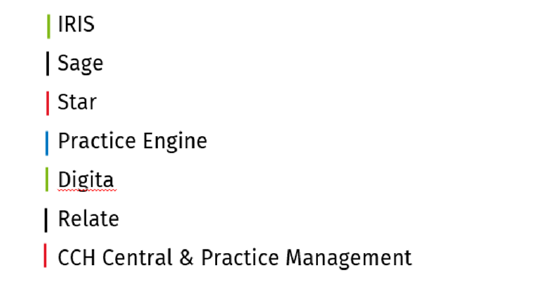
Wolters Kluwer offers migration and merge data services by extracting data from your current business systems. Approved competitors for these services are listed below.

Note: If your system is not listed, most systems can export reports to populate a standard Excel template for transformation and import into your new CCH solution. Please discuss options with your account manager. 

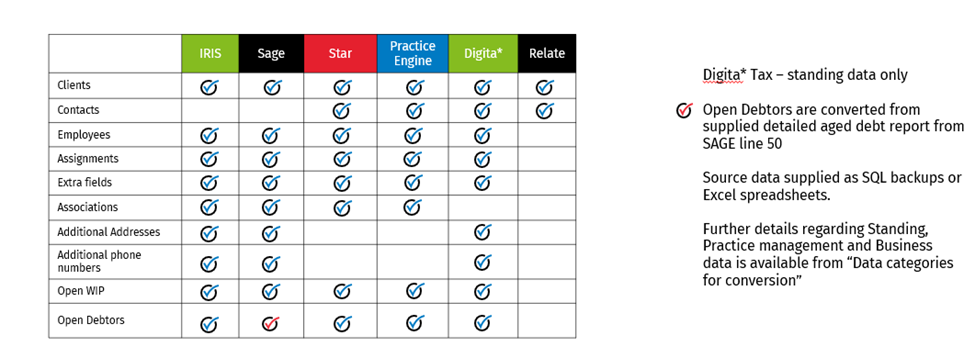
Standing and Practice Management Data
cch-conversions-approved-competitors-1.png

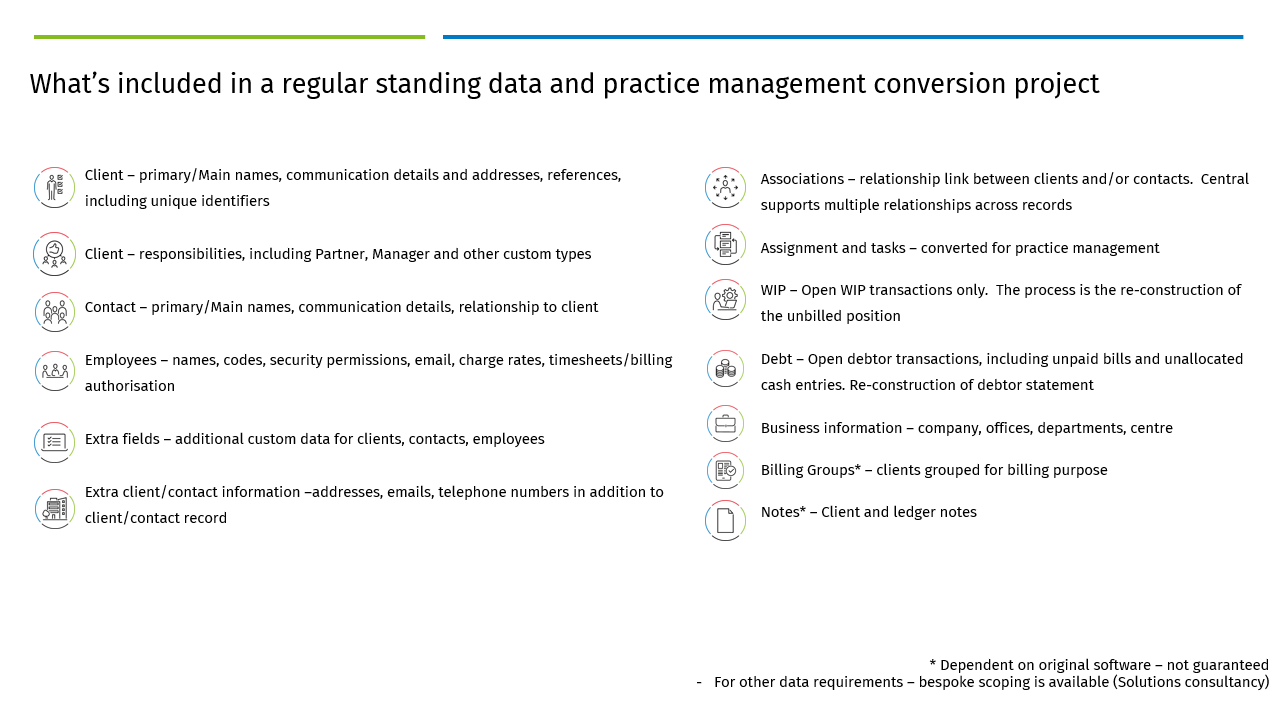
cch-conversions-approved-competitors-2.png

cch-conversions-approved-competitors-Included-3.png
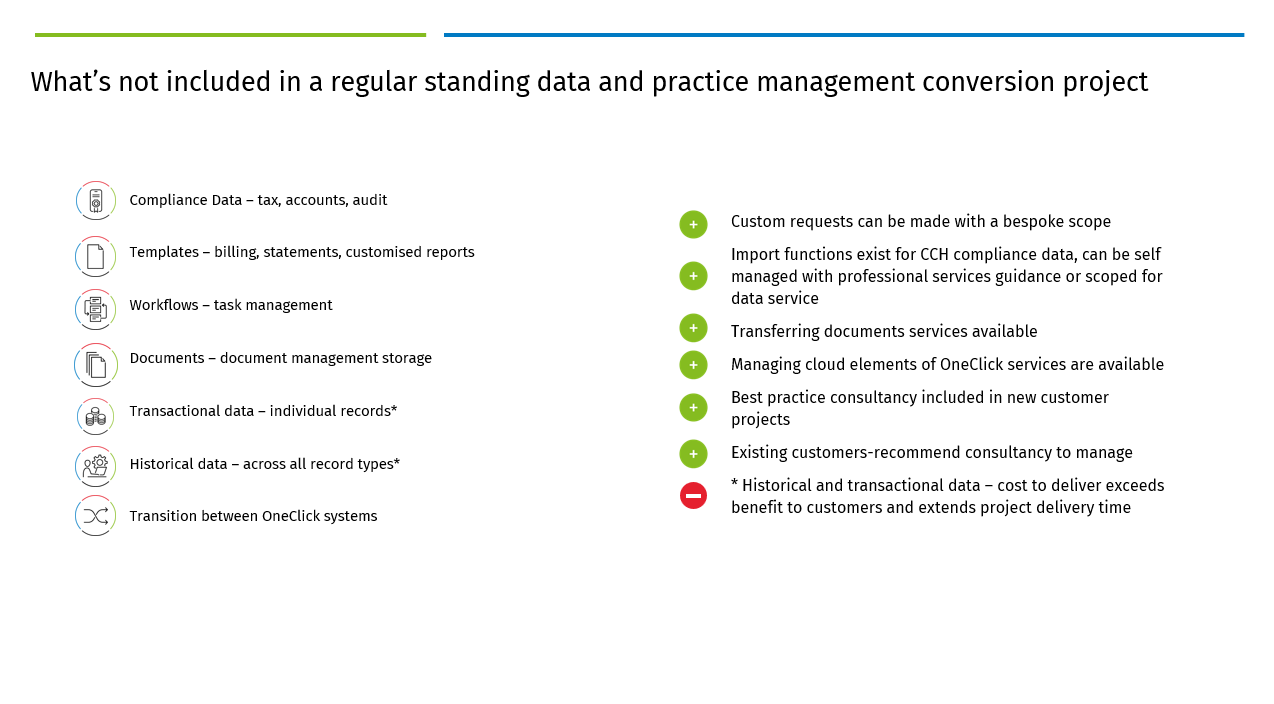
cch-conversions-approved-competitors-NOT-Included-4.png

Further details regarding standard in scope record types are available here Data conversion scope for standard services.pdf

Practice management data - WIP & Debt positions

There are two options for converting WIP and Debt into your system:

  • Open transactions, to include unbilled WIP, unpaid bills, and unallocated cash.
    • Enables detailed transfer of outstanding WIP transactions to the CCH Suite, maintaining reporting levels by initial entry date, employee, WIP type, and service recorded against, where this level of detail is logged.
    • Customers often choose this option when they can transfer detailed records to the new system. This normally takes place after they have completed their month end procedures.
  • Open balances only for WIP and Debt as per client.
    • Customers can start in the CCH Suite with a top-level outstanding WIP balance for each client when detailed WIP transaction records are unavailable.

When selecting the "go live" date, consider the current end-of-month processes, ensure month end procedures such as, timesheets and billing are completed and finalised.

If WIP and Debt need a separate conversion, additional services will be required to offline the database. This will incur extra charges, including possible out-of-hours fees.

Note: Transactional history of WIP and Debt, are not included.

Related documents

CCH Central Suite Update Guide (Latest Offline Version)
The document outlines the process for using the Central Suite Installer Offline (CSI Offline) for customers with specific IT requirements that prevent internet updates. It provides detailed instructions for installing updates to the Central Suite, including necessary prerequisites, folder structure, and the installation steps. Key points include ensuring Microsoft SQL Server is supported, confirming .NET Framework requirements, and the importance of backups before starting the update. The document also highlights the need for administrator rights, handling database upgrades, and checking for office plugin updates, particularly for users of CCH Document Management.
CCH Central Suite 2026.3 Update Guide
This guide explains how to update an existing install of the CCH Central Suite to the latest version 2026.3 (including Service Packs and Hotfixes) using the Central Suite Installer (CSI).
CCH Central 2026.3 Release Notes
Central Suite Installer (CSI) instructions
The document announces the update of the Central Suite Installer (CSI) for the CCH Central Suite, now compatible with the latest releases and service packs and hotfixes of various CCH applications. Key points include prerequisites for installation, compatibility information, and the necessity for proper backup before proceeding with the update. It highlights specific requirements for Microsoft components, and it warns users of CCH Accounts Production regarding regional settings for date format. Support options are mentioned for users seeking assistance during the update process. Release notes are accessible for detailed information on the updates.
CCH Central 2026.210 Service Pack