
How To
Document
CCH IXBRL Review And Tag

Document
Document information
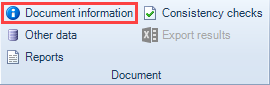
- Click on Document Information to open a dialog which contains few options as explained below.
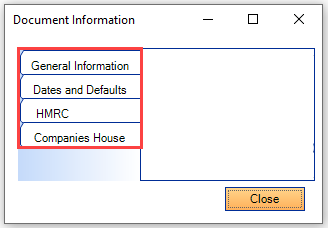
- The information feeds directly through when generating the XML file from CCH Accounts Production.
- Some information is greyed out and therefore cannot be changed.
- None information should need to be changed as it is comes from CCH Accounts Production settings however several options can be changed if required otherwise.
General information
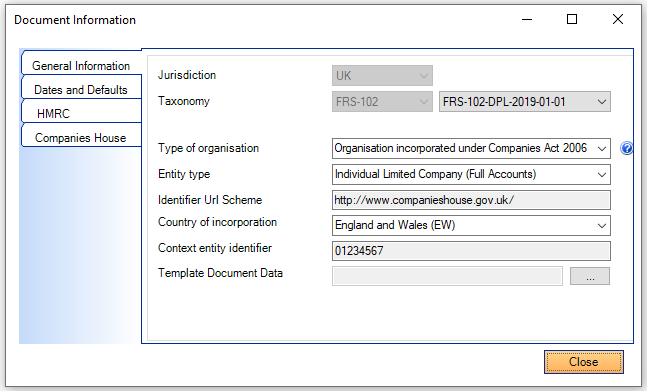
- Jurisdiction – e.g. UK
- Taxonomy – displays the currently selected Taxonomy: the type e.g. FRS 102 is greyed out but a drop down will show if choices are available. If tagging Charity Accounts with a year ended on or after 1st April 2021, the CHAR-FRS102-2021-02-01 taxonomy must be selected from the drop down in Review & Tag before submitting these to HMRC.
- Type of organisation – displays the types of organisation
- Entity type – displays the selected entity type
- Identifier Url Scheme – displays the selected Website Url for the entity
- Country of incorporation – displays the country of incorporation
- Context entity identifier – e.g. displays the company registration number for England and Wales companies or should be populated with the Inland Revenue for Irish companies
- Template document data – load a template to be able to use Dual year view for when the user has a conversion licence
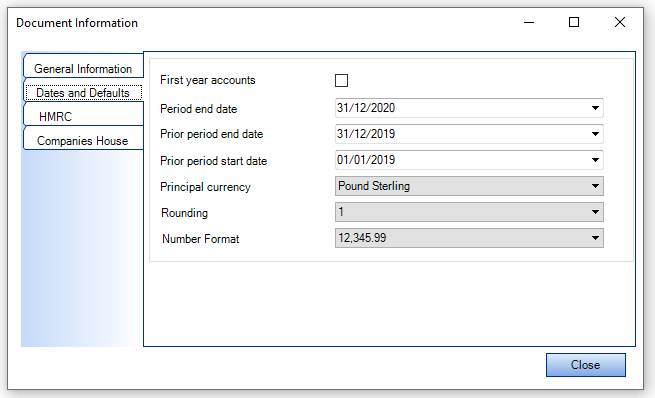
Dates and defaults
- this information feeds directly through from CCH Accounts Production
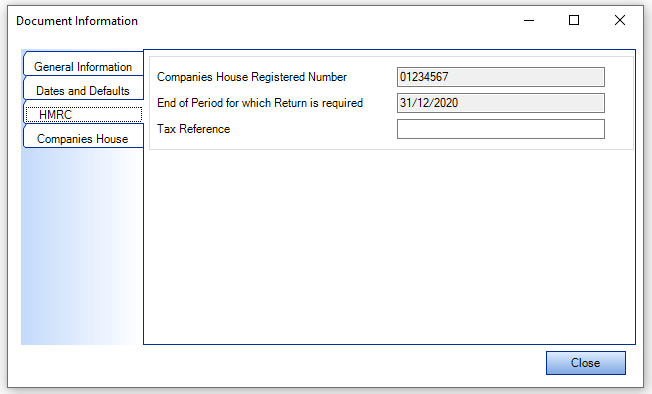
HMRC - this information feeds directly through from CCH Accounts Production, the tax reference is not a mandatory field and having it blank does not prevent submission.
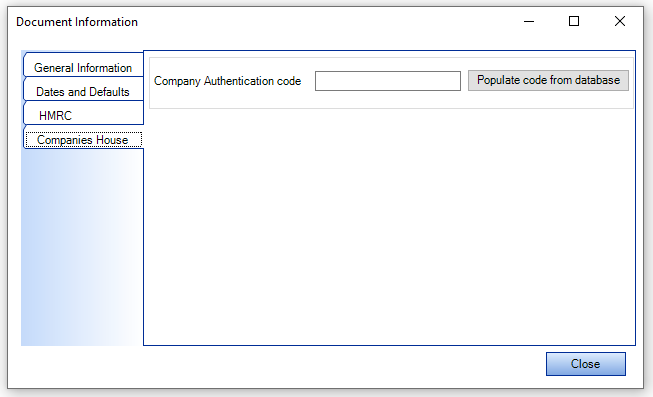
Companies House - after the first submission to Companies House using CCH iXBRL Review and Tag, the Companies House authentication code will be stored on this field.
- If the first submission to Companies House via CCH iXBRL Review and Tag was completed and the field below is blank, click the button Populate code from database to retrieve it.
Other data
- Click on Other Data and the following grid appears. It lists tags which are not shown on the face of Accounts.
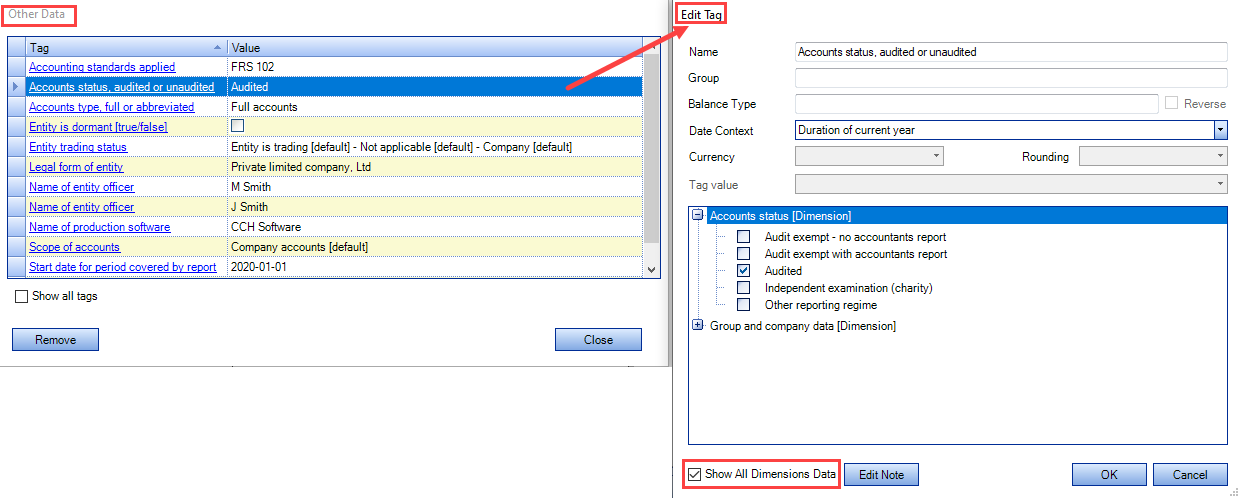
- The Other Data dialog opens (screen shot shown on the left hand side above): lists tags which are not shown on the face of Accounts.
- The information on it feeds directly through from CCH Accounts Production.
If any tag amendment is required:
- click on any tag (blue hyperlink)
- The Edit tag dialog (screen shot shown on the right hand side above) opens
- Click on Show All Dimensions Data at the foot of the dialog box.
- Expand the dimensions (click on + sign on the left of the dimension
- Click in the box to choose the required option (as per example above 'Audited')
Select OK to close the Edit tag dialog
Select Close to close the Other data dialog.
There may be scenarios where a tag should be dragged from the Taxonomy to Other Data in order to add it to the company's XML file.
Reports
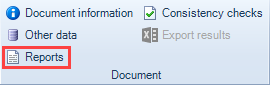
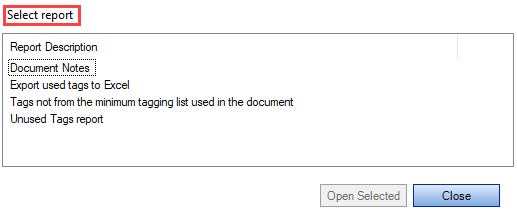
- Click on Reports to select and run a number of reports as below.
- Those reports should be useful when reviewing the tagging.
- The Document Notes report lists all iXBRL notes included by the user.
Consistency checks and Export results
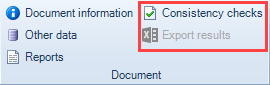
- The consistency checks are not in use for the new taxonomies; for validation checks please look at the Exception Report grid.
Related documents
CCH iXBRL Review & Tag: Training for Accounts conversion from MS Word and Excel (10133768)
This document outlines a training course for converting statutory accounts from Word and Excel into iXBRL format using CCH iXBRL Review & Tag. The course, lasting up to 3 hours, targets users needing to tag accounts for submission to HMRC and Companies House. Key objectives include understanding iXBRL requirements, importing documents, applying tags, and the submission process. Prerequisites include familiarity with accounts and having credentials for HMRC and Companies House. Additional resources such as eLearning courses and webinars are also provided for further learning.
CCH Accounts Production/iXBRL essentials training online (10133804)/(10133819)
This document outlines a course on using CCH Accounts Production software, aimed at helping new users efficiently produce statutory accounts. The course includes 1 x 2 hour session and 1 x 3 hour session focusing on practical skills such as setting up accounting periods, importing trial balances, and navigating the software. It is designed for all employees involved in preparing statutory accounts. Training is conducted in an interactive environment called CloudShare, with additional resources available online for further learning and support.
CCH iXBRL Review and Tag 2026.1
The latest release of CCH iXBRL Review and Tag
View
The document outlines the features of a software interface with two main tabs: "CCH iXBRL Review and Tag" and "Companies House Submission." The first tab provides product version details and access to review and tagging settings, which are further explained in a linked system administrator guide. The second tab includes functionalities related to the Companies House licensed module, with an option to update the license if it has expired. Visual elements include images depicting the interface for clarity.
Introduction: Tagging Detailed Profit and Loss
The document outlines the process for tagging the Detailed Profit and Loss (DPL) statement for HMRC compliance, indicating that it must be submitted with either Accounts or tax computations, but not both. It specifies that CCH provides two options for tagging the DPL: via the CCH Corporation Tax return or using CCH iXBRL Review & Tag. Additionally, a link is provided for further instructions on tagging the DPL through the Corporation Tax method.