
Importing Data Services: New Customers
Importing data services
For new customers we provide a range of options for populating your new CCH solution with your business data and assistance from the professional services team.
Your new Central system includes functionality to import limited client and contact details, further guidance on this self service option is available here and via our eLearning platform.
Customers whose needs exceed the simple client contact import functionality, we provide Importing services which allows customers to populate their own data into a template datasheet for upload into their new central database by our professional services consultants.
This option allows customers to take full control of their data quality, ensuring accuracy and consistency as they prepare for their new system. By using this approach customers can dedicate resources and time to work on their spreadsheets for data import, customers can efficiently manage the process with minimal requirement on consultant time, resulting in cost savings and greater flexibility.
This self-managed approach enhances your understanding of your own data, ultimately, this leads to a smoother transition to the new system, with the added benefit of maintaining high data integrity.
Our consultants guide you at the start of the process and when you are ready will upload your populated spreadsheet data into a new CCH database.
The options are standing data only or standing data plus practice management data.
|
Central standing data only import (10127126) |
Central standing data and WIP & Debt import (10127127) |
The below images represent typical milestones of a service and are not representative of a project schedule.
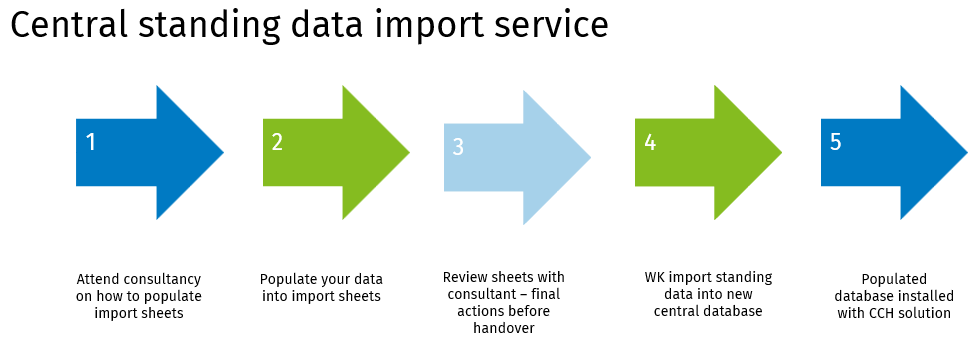
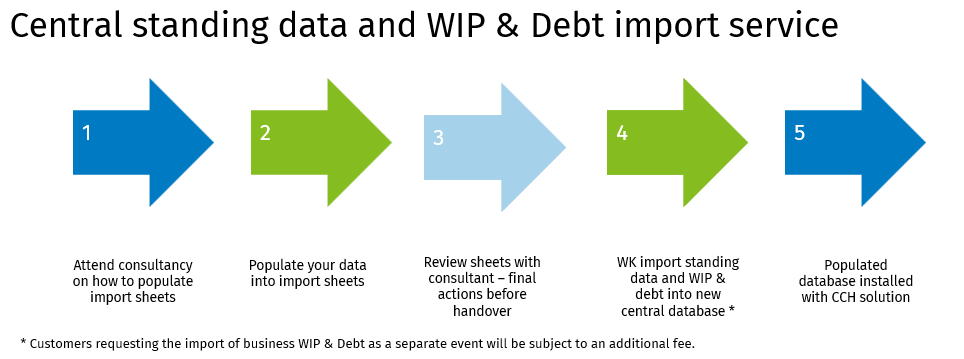
As new customers, we anticipate no downtime with your systems. Wolters Kluwer consultants will execute their phases of your project during regular business hours.
Further information on what data is included in our standard conversion projects for standing and practice management data is available in this section.
If your business needs are not listed, please contact your account manager to arrange a scoping session with our teams.
Further details regarding standard in scope record types for importing services are available here Data conversion scope for standard services.pdf
Practice management data - WIP & Debt positions
There are two options for converting WIP and Debt into your system:
- Open transactions, to include unbilled WIP, unpaid bills, and unallocated cash.
- Enables detailed transfer of outstanding WIP transactions to the CCH Suite, maintaining reporting levels by initial entry date, employee, WIP type, and service recorded against, where this level of detail is logged.
- Customers often choose this option when they can transfer detailed records to the new system. This normally takes place after they have completed their month end procedures.
- Open balances only for WIP and Debt as per client.
- Customers can start in the CCH Suite with a top-level outstanding WIP balance for each client when detailed WIP transaction records are unavailable.
When selecting the "go live" date, consider the current end-of-month processes, ensure month end procedures such as, timesheets and billing are completed and finalised.
If WIP and Debt need a separate conversion, additional services will be required to offline the database. This will incur extra charges, including possible out-of-hours fees.
Note: Transactional history of WIP and Debt, are not included.