Appendix 1: Changing the Access mode for SQL Server
Appendix 1: Creating a connection and database
If you did not install SQL Express, you will need to manually create a connection and database the first time that you launch CCH Interactive Checklist. This can either be created on a network server so that all users have access to the same data, or you can create a local database if you have Microsoft SQL Server Express installed on your computer.
On launching the software, you will be presented with the Login dialog:
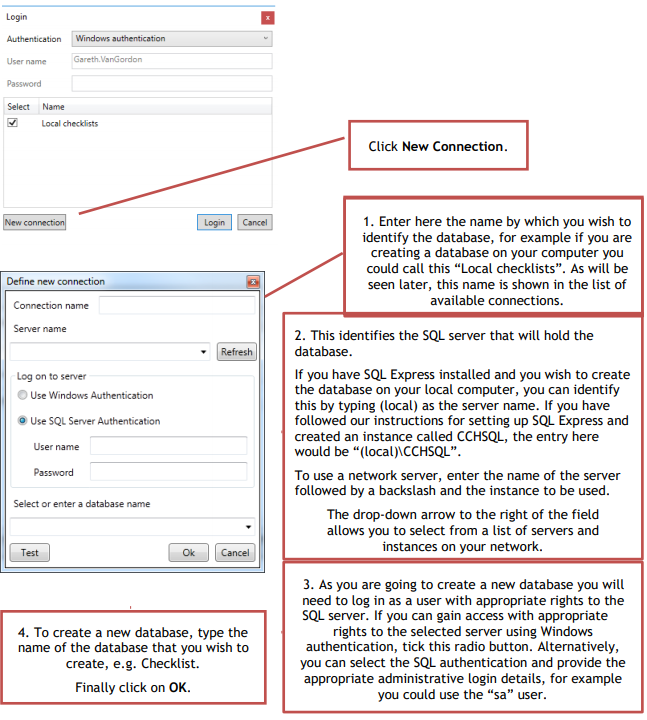
We recommend that you name the database “Checklist” so that it is easily identifiable by our support team should you need to seek assistance. The following
example will create a database called Checklist in the local instance of SQL Express:
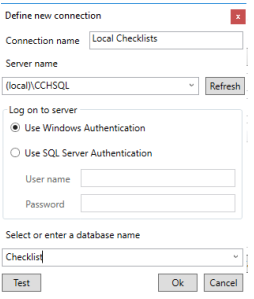
Note that you will not be able to use the Test button as the database has not yet been created. Click OK and the systems will display the following question:
Note: If you see the following message when you try and create a new database or login it probably means that you do not have Mixed Authentication selected for your SQL instance.
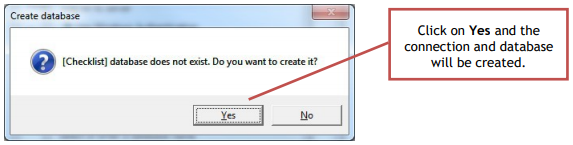
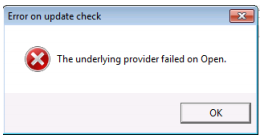
Please refer to Appendix 2 for how to change this setting. Click on Yes and the connection and database will be created.
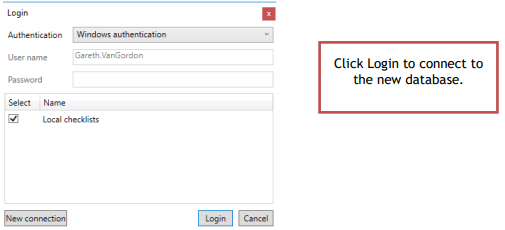
On returning to the Login dialog, the available connection will be listed: