
Mapping nominal codes
Mapping multiple bookkeeping system codes to a single CCH Accounts Production code
Within the 3rd party bookkeeping software you may have, for example, multiple nominal accounts for travel expenses. You could have a generic travel account plus some more specific ones like overseas travel, air travel, etc.
In CCH Accounts Production you may prefer to allocate these all to a single travel account rather than try to recreate a matching chart of accounts for each client.
When using the Sync with Open Integration option within CCH Accounts Production, the default nominal account for travel will map automatically but the bespoke travel accounts will not. You will therefore be presented with the following nominal mapping screen so that you can also allocate the bespoke nominal accounts to the right place within CCH Accounts Production.
In this example, code 495 is taken from the 3rd party bookkeeping product and we have mapped it to code 3510 within CCH Accounts Production.
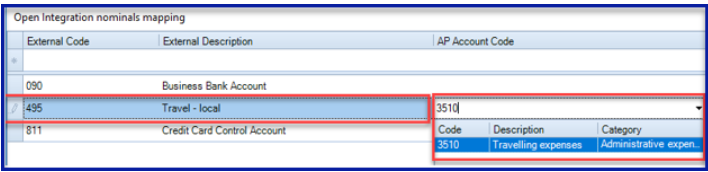
Once you have saved this mapping, the codes become linked and you will not have to remap them again either for bringing data down from the 3rd party product into Open Integration or for syncing data back to the 3rd party product from Open Integration.
Mapping multiple CCH Accounts Production codes to one bookkeeping system code
Within CCH Accounts Production you may have multiple nominal accounts for advertising expenses. You could have an advertising account that falls within distribution costs and one that falls within administrative costs.
In the 3rd party bookkeeping product you may prefer to allocate these all to a single advertising account rather than try to recreate a matching chart of accounts for each client.
When using the Sync with Open Integration option within CCH Accounts Production, the single nominal account for advertising that was mapped on first importing those figures from the 3rd party bookkeeping software will automatically map back, but the second or further advertising accounts that you subsequently used will not. You will therefore be presented with the following multiple mapping screen so that you can also allocate these additional nominal accounts back to the right place within the 3rd party bookkeeping product.
In this example, code 2830 is the second advertising account used in CCH Accounts Production and we have decided to map it back to code 400 within the 3rd party bookkeeping software.
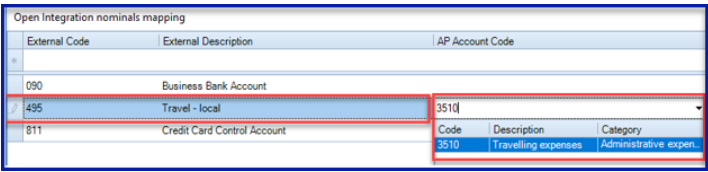
Note: You cannot currently save mappings made via this multiple mapping screen.