
Pension Savings Tax Charges
Add Pension Savings Tax Charges
What are UK Tax-Relieved Funds?
UK tax-relieved funds relates to funds in an overseas pension scheme made up of the following that was exempt from UK tax:
- personal contributions
- employer contributions relating to retirement and death benefits
What are UK Transferred Funds?
UK transferred funds are funds in an overseas pension scheme that was transferred directly or indirectly to the scheme from one of following:
- UK registered pension scheme
- UK tax-relieved funds
- UK transferred fund in another overseas pension scheme
Add Pension Savings Tax Charges
- Open the Pension Savings Tax Charges section.
- Select the Charge type from the drop down menu
- In Provider Name type or click
to select a provider.
- Briefly describe the charge in Description.
- Complete the entries in the blue ribbon bar that relate to the Charge type selection.
- For the Annual amount saved you can Amend the Available allowances.
- Click Save.
Annual Allowance
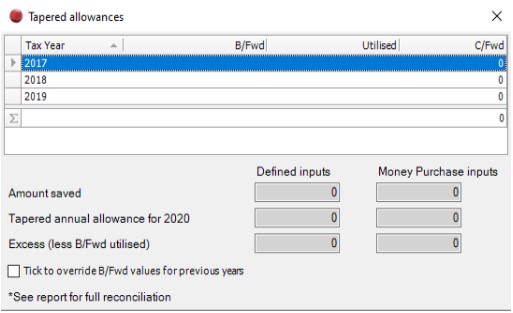
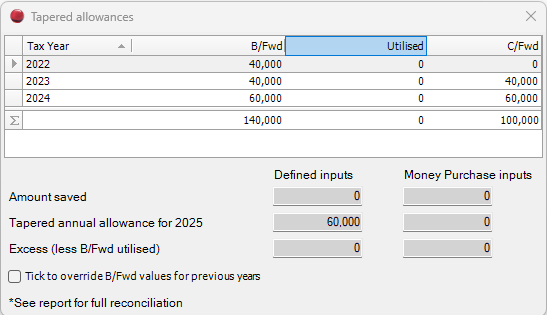
Click Annual allowance in Pension savings tax charges, the Tapered Allowances screen appears:
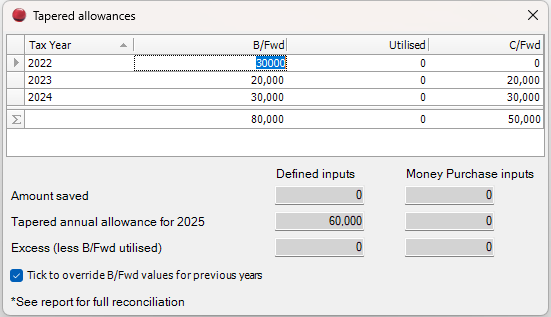
It is possible to override the B/Fwd figures – check Tick to provide override figures. The B/Fwd column becomes editable:
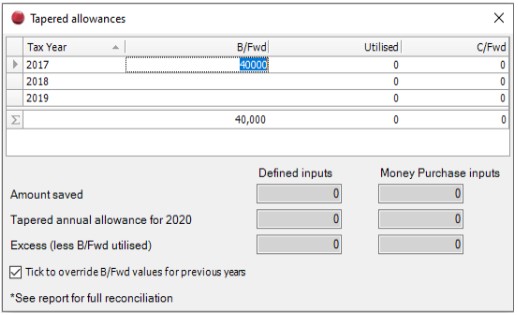
The Utilised figures are automatically populated by offsetting the Amount Saved first against the Tapered allowance,and then against B/Fwd amounts for each Tax Year in chronological order.
Following changes to the pension annual allowance introduced in 2016/17, the annual allowance is reduced where the ‘adjusted income’ is greater than £150,000. Where the ‘threshold income’ is less than £110,000 no restriction applies. (https://www.gov.uk/guidance/pension-schemes-work-out-your-tapered-annual-allowance.)
For every £2 that the adjusted income exceeds £150,000 the Tapered Pension Allowance is reduced by £1 to a minimum of £10,000. Additionally, unused annual allowances from the previous 3 years are brought forward and utilised against any chargeable pension payments. These are utilised where there is insufficient allowances for the current year. These are allocated on a First In First Out basis.
This is applies to Defined benefits and contributions, and Flexible access money purchase schemes.
In CCH Personal tax 2018.2 we introduced a worksheet to calculate the Tapered Pension Allowance and this runs in the background.
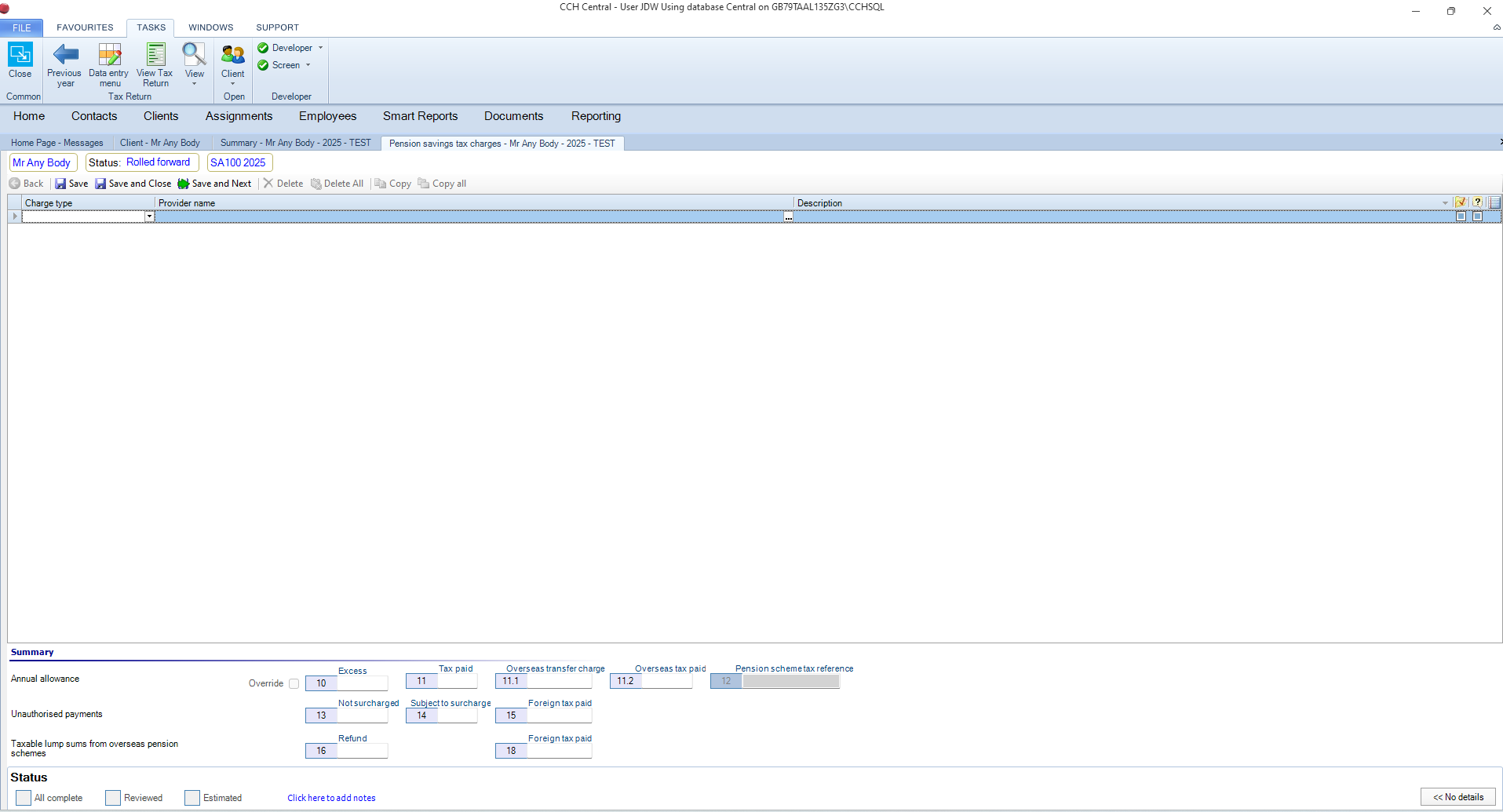
Select Pension savings tax charges, the following data entry screen appears:
The field Available allowances is disabled and is populated via the hyperlink Annual allowance.
Select Annual amount saved from the Charge type drop down box, the screen is updated as follows:
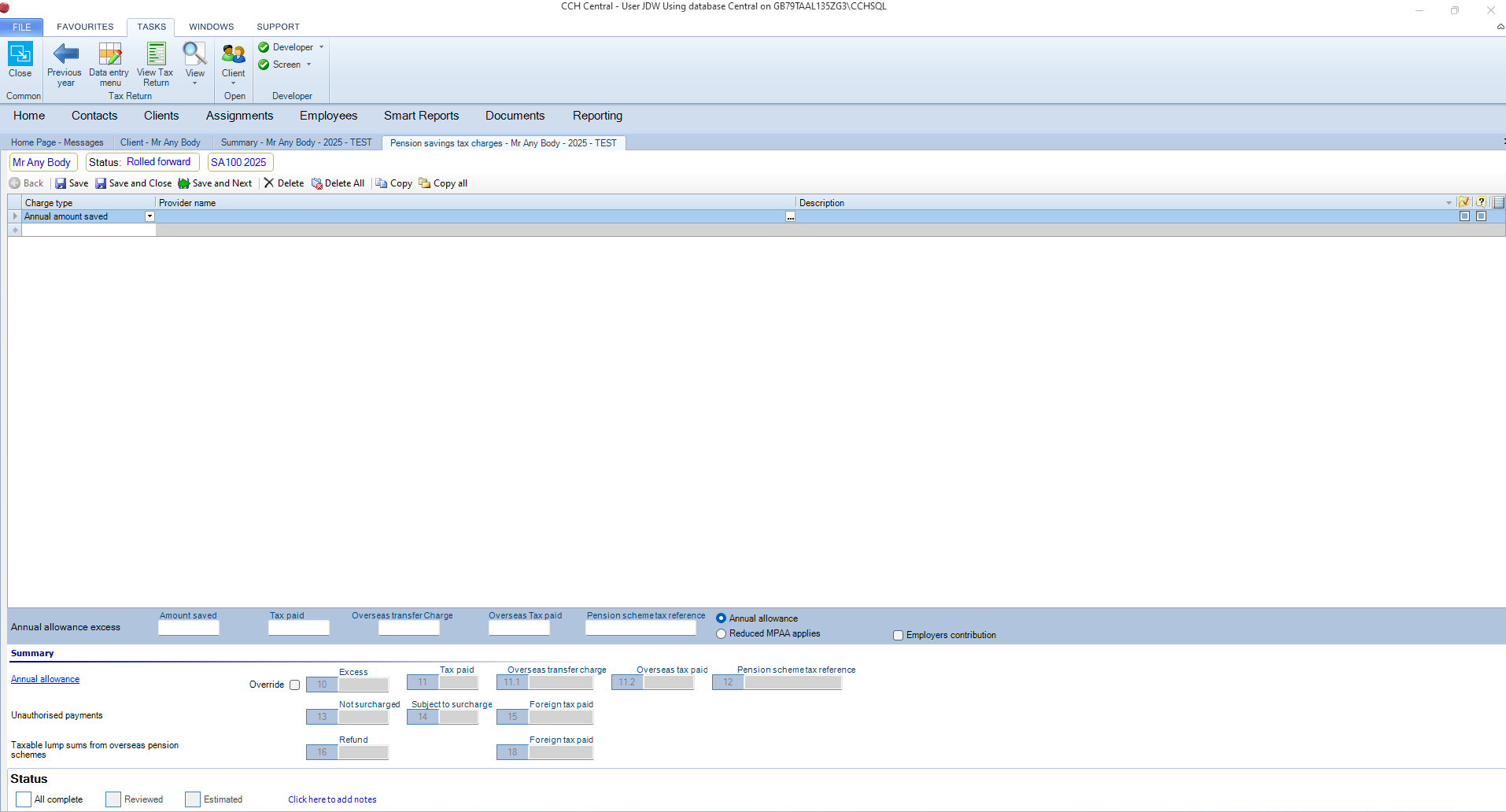
- Defined Benefit – this is the default setting, or
- Flexible Access/Money Purchase – Select this if relevant. These options are mutually exclusive.
- Employers Contribution – Select if relevant. This is not ticked by default.
The tapered allowance is calculated automatically by CCH Personal Tax; this calculation is updated based upon the levels of income and the contributions made.
Click Annual allowance, the Tapered Allowances screen appears:
It is possible to override the B/Fwd figures – check Tick to provide override figures. The B/Fwd column becomes editable:
Hint: When reviewing the annual allowance, ensure that all payments have been entered before clicking annual allowance and reviewing the Tapered Allowance screen.
Tax Deducted
Enter the total amount of UK tax deducted from your pension for the current tax year in Tax deducted. You will find this information on your P60 or related pension paid and tax deducted certificates.