• CCH iFirm is the platform we use to provide you with access to our growing range of cloud-based products which includes AML (Anti-money Laundering), Validate, Accounts Production, Personal Tax.

    CCH iFirm MTDfIT, Time and Fees, Document Management is coming soon.

  • In addition, CCH iFirm product users have their access to applications such as the Support Portal, Wolters Kluwer Academyand UserVoice managed through the CCH iFirm platform.

Manage your Organisation and Members Profile

IMPORTANT INFORMATION

If you are a designated Wolters Kluwer Account 'Administrator' you will have the ability to control all of the Settings for your Members.

Organisation Management enables you to manage your firm’s setup and admin within CCH iFirm to invite members and manage access to products and applications.

RECOMMENDED! 

If you have subscribed to any CCH iFirm platform products, then you should now use the 'Organisation Management' app to invite members to join the Wolters Kluwer Support Portal and stop using the Wolters Kluwer Account Support Admin Tool to invite members.

NEW way to subscribe new members - Organisation Management - Wolters Kluwer Support Portal
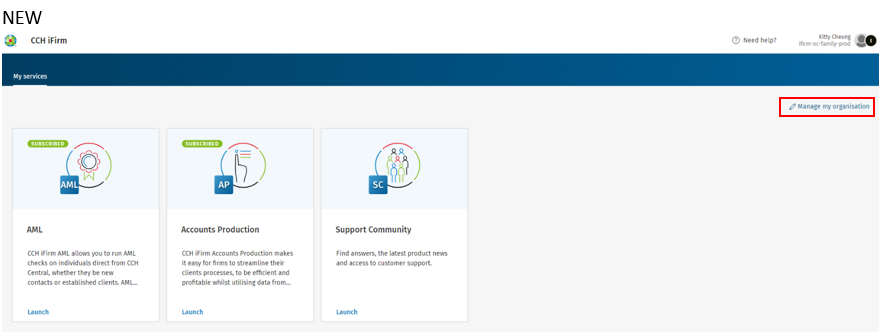
 

iFirm_WhtaIsIfirm_1.png


OLD way to subscribe new members - Wolters Kluwer Account Support Admin Tool
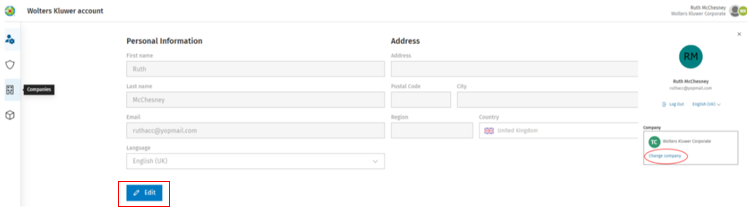
 

iFirm_WhtaIsIfirm_2.png

There are 2 ways of Managing your Organisation:

  1. From the Home screen, click on  'Manage my organisation' 

maange-my-organisations-button.png
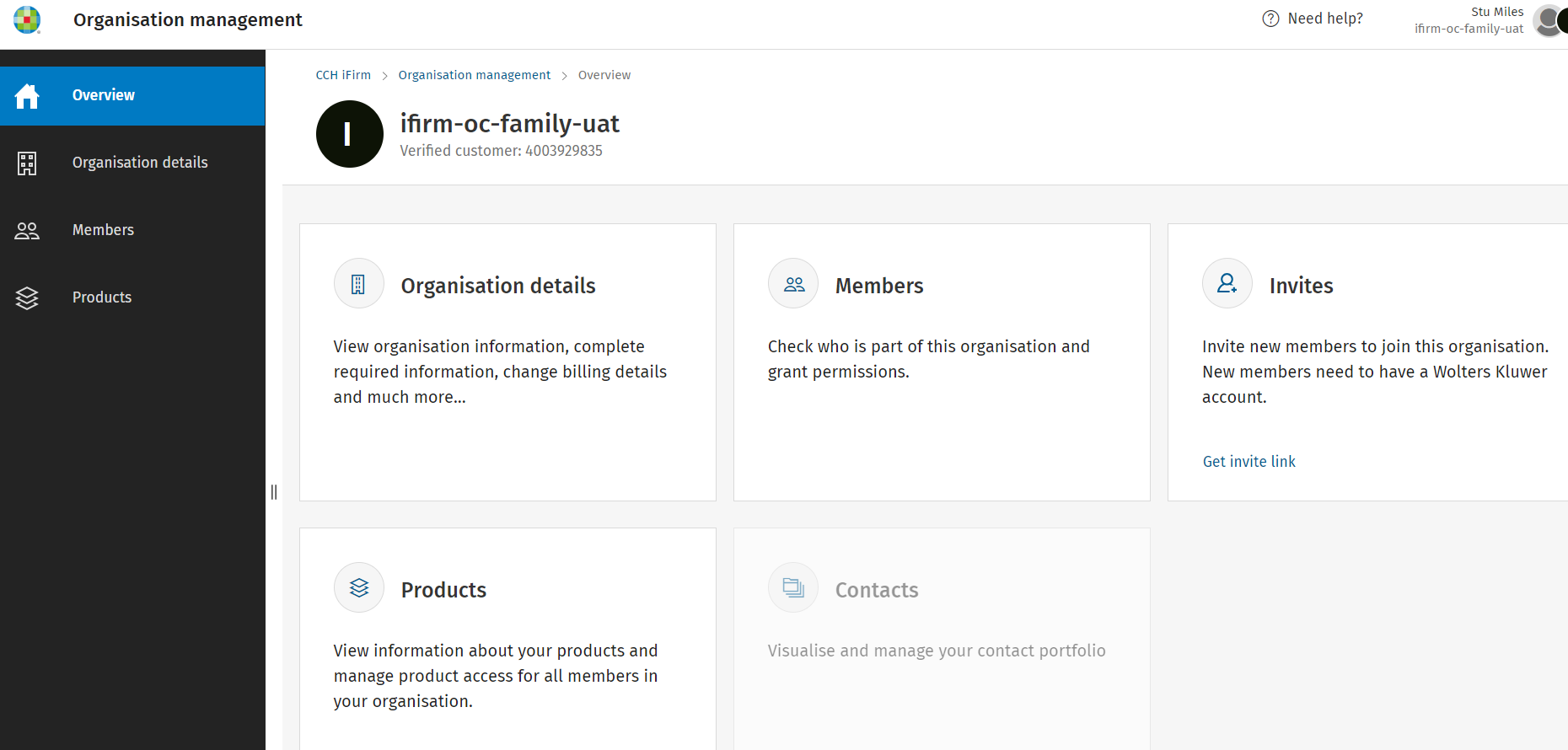
  1.  which will take you to the Organisation management area.
     
iFirm_WhtaIsIfirm_3.png
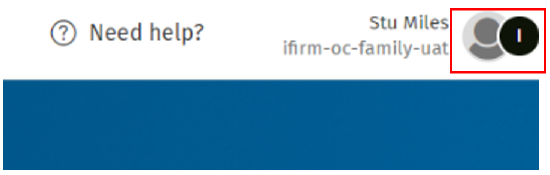
  1. Alternatively, click on your Profile
iFirm_WhtaIsIfirm_4.png


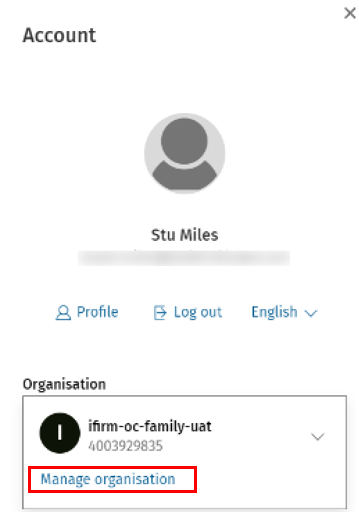
and click on 'Manage organisation' 

iFirm_WhtaIsIfirm_5.png

which will take you to the Organisation management area.

iFirm_WhtaIsIfirm_6.png

Wolters Kluwer Account Administrators can:

  • Manage member access to CCH iFirm
  • Invite colleagues to join CCH iFirm
  • Manage member access to products and applications
  • Manage product settings

Please read our help guide for CCH iFirm Admins for instructions on how to use Organisation Management.

Related documents

CCH iFirm licenses before 1st September 2025
This document provides guidance on managing CCH iFirm accounts post-launch in September 2025. Customers with contracts activated after January 31, 2025, received zero-value invoices to establish opening balances, allowing access to historical usage reports via Excel. Contracts active before January 31, 2025, will not show product usage until renewal. Additionally, any expired contracts prior to September 1, 2025, lack transferred usage history, and related invoices will generate error messages when attempted to be accessed. The document highlights features of the new accounts interface and the handling of additional usage charges.
Organisation Management Overview
This document provides an overview for Wolters Kluwer Account Administrators on using the CCH iFirm Organisation Management tool. It outlines how to access the tool, manage members, and edit organisation details, such as the organisation name, VAT number, and company registration number. Admin-level users can make changes to the organisation's information, including inviting new members and managing application access. Additional help resources are linked for further assistance.
Logging into CCH iFirm: Admin & User Access Guide
This document provides guidance on logging into CCH iFirm, specifically targeting Admin users and existing/new users of the CCH iFirm cloud product. It includes links to the Help Guide for Admins and instructions for managing user access. If an organization has not begun using CCH iFirm, existing administrators should use the Wolters Kluwer Account self-service portal. Additionally, it highlights the requirement for email matching between CCH iFirm and CCH Central for access. For further assistance, users are advised to contact their organization's Wolters Kluwer Account Administrator.
Member Permission Levels
This document provides a summary of the different member permission levels in CCH iFirm, distinguishing between Admin and Regular users. Admin users have comprehensive capabilities, such as managing organization settings, viewing/editing all clients, adjusting member permissions, and inviting new members. In contrast, Regular users have limited access, able only to view/edit clients they specifically have permission for. The document outlines key functionalities permitted to each user type, highlighting the more extensive privileges granted to Admin users.
CCH iFirm Help Guide for Admin Users
The Help Guide outlines the process for inviting and managing members to the Wolters Kluwer platform, specifically using CCH iFirm. It explains the roles of administrators in managing user accounts, how to invite new members, grant or revoke product access, and the importance of mandatory product access. The guide also covers bulk invitations and the procedures for handling access requests from existing members. It emphasizes the necessity of correct email association for login and provides guidance on navigating the platform for efficient user management.