
How To
Data Sources: CCH iFirm Personal Tax
CCH IFirm Personal Tax
Adding Data sources
- Click on either of the + Add data buttons on the Self Assessment page
- Scroll down the list and tick the boxes next to each of the sources you want to add.
Some data sources contain subsections, once those data sources are ticked they will expand to show a list. You can deselect the subsections you do not need.
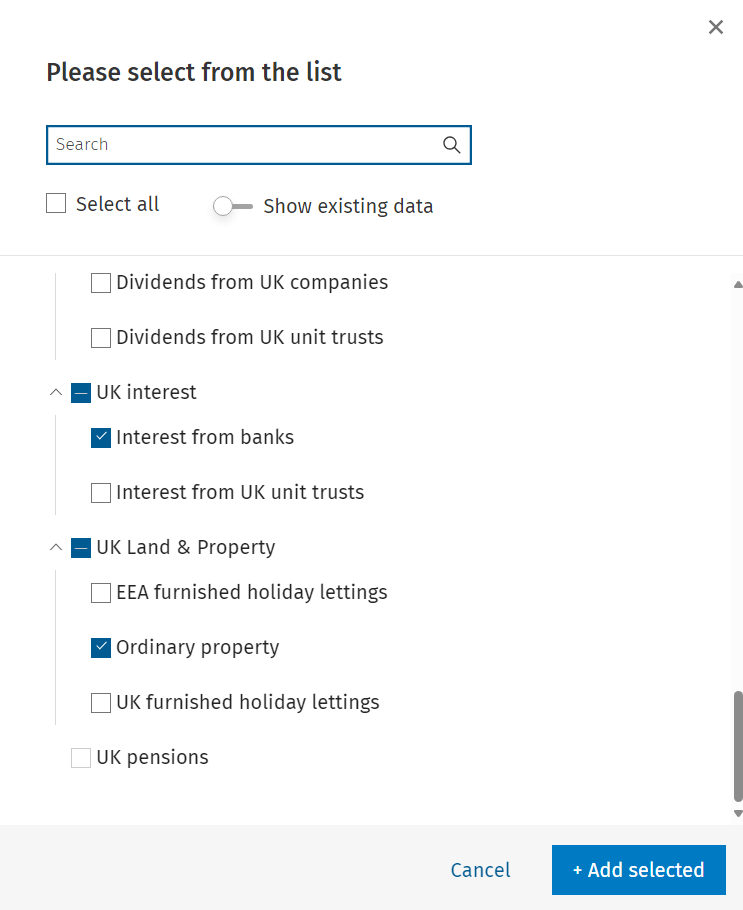
- You can also search for specific data sources using the search bar above.
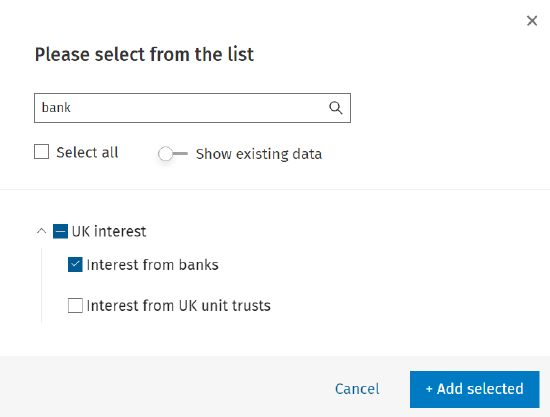
- In the example below, the term 'bank' has been used to filter the data list and Interest from banks is selected.
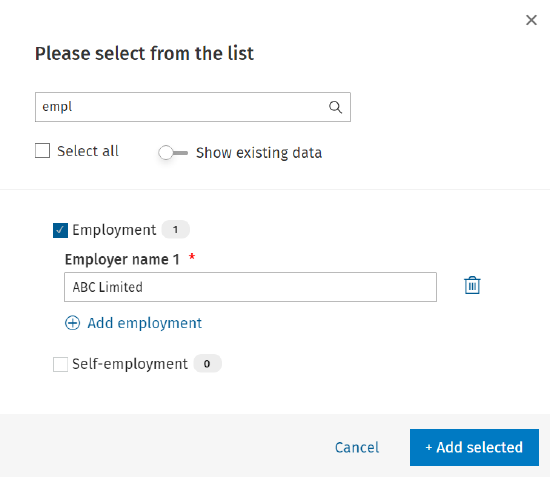
- Some data sources e.g., Employment, require you to type in the employer name once you tick the source from the list, as shown below.
- Once you have selected the data sources click + Add selected.
Accessing Data sources
Left menu
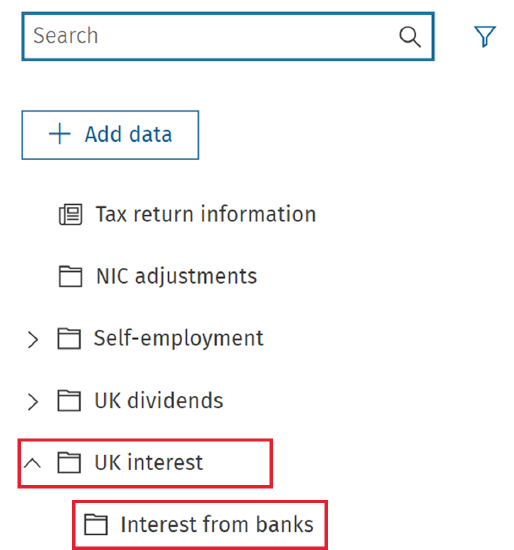
Data sources can be opened from the left menu. The list of data sources you have added is displayed on the SelfAssessment page on the lefthand side.
- To open a data source select it from the list.
- Clicking on the accordions will expand or collapse the sources.
Useful Information! In the example below, clicking on 'UK Interest' expands this source and displays the sources within.
Related documents
Removing linked Data
The document provides a brief guide on how to remove linked data in the Self Employment form by clicking the 'Unlink' button twice to confirm the action. An accompanying image illustrates the process.
Getting Started with CCH iFirm Personal Tax
This document provides a step-by-step guide for using CCH iFirm Personal Tax via CCH Central. Key prerequisites include having the latest version of CCH Central, necessary user permissions, and .Net 8.0 runtime installed. Users must access the CCH iFirm Console for authentication and synchronization. The process for creating personal tax returns in CCH iFirm is outlined, including selecting the tax year and necessary client details. Additionally, there are instructions for managing user access within Organisation Management, ensuring employees can utilize the software effectively.
Pension Contributions: CCH iFirm Personal Tax
To open the Pension contributions data source, click on Pension contributions from the data sources list.
NIC Adjustments
NIC adjustments are automatically added to the data source list when the Self-employment data source is added to the tax return.
UK dividends - Dividends from UK companies
This document provides instructions for entering dividends from UK companies in a tax management system. Users are guided to access the Dividends section, add company details, including name, description, date, and dividend details. It explains the process for modifying distribution types, adding multiple entries, and saving the information. A summary section is mentioned, which displays the compiled entries at the bottom of the screen.