Errors can occur if the record is subsequently deleted or removed from CCH Company Secretarial via conflict resolution and the 'master' record is not the one originally linked in CCH Central

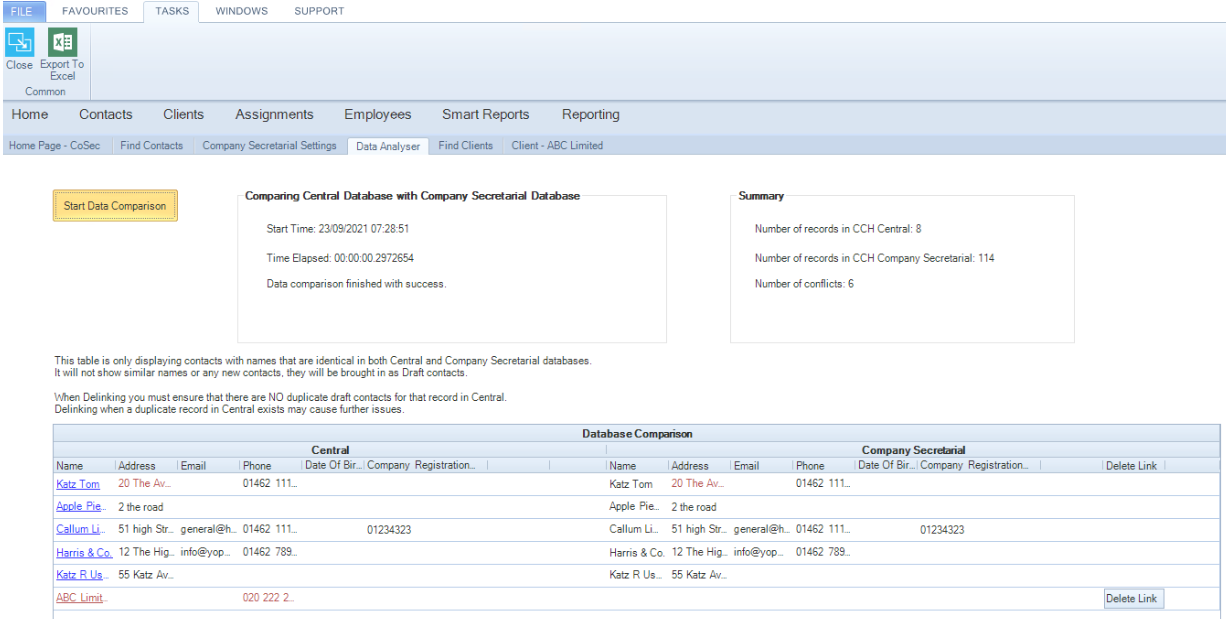
Once CCH Central is linked to a Company/person, in CCH Company Secretarial the record with the links are then stored in the CCH Central linking tables. However, duplicates can occur in CCH Company Secretarial by inadvertently adding a similar record or by the internal Download from Companies House. In the event, the record is subsequently deleted or removed from CCH Company Secretarial via conflict resolution and the 'master' record is not the one originally linked in CCH Central, the Central sync will still be looking to update the record it was previously linked to (which no longer exists). There is now a 'Delete Link' button on the data analyser screen which will allow the current link to be removed where data analysis shows that the CosecUid's do not match where name matching has occurred.

Example of error message displayed on the CoSec homepage for a deleted company
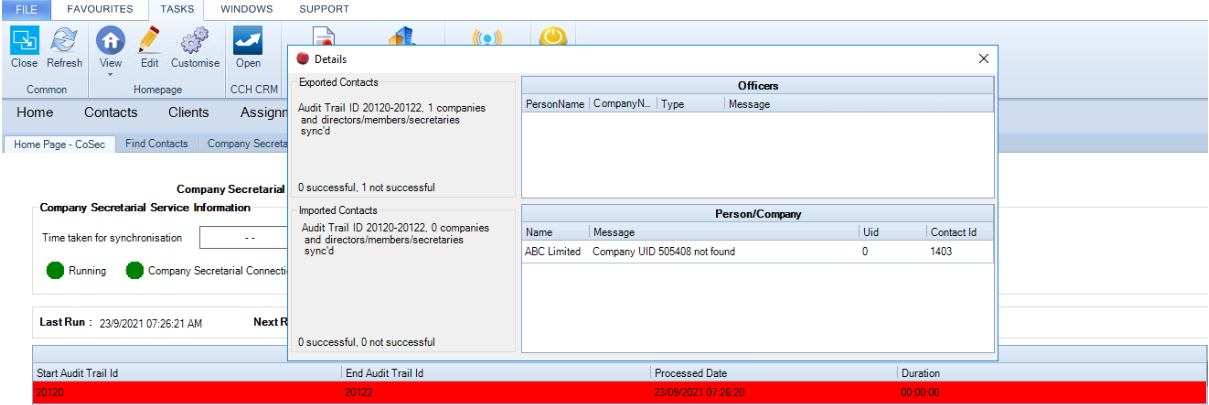
clipboard_e957c8901ad436bf04adb1c594cf78b99.png

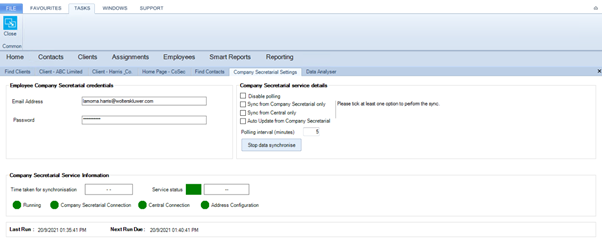
To delete the link

  1. Go to File > Maintenance > Company Secretarial > Settings
  2. Untick all settings
  3. Click on Stop data synchronisation

  clipboard_e30d8a6f6fa4ae3889fec85889cf1cb0f.png

Wait for the message “Data synchronisation stopped".  Data analyser detail available to be displayed”.
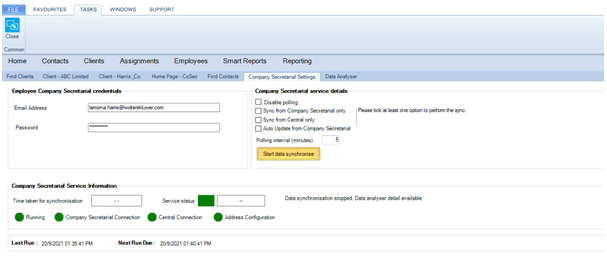
clipboard_e7b976abbc8a63ac4776b57336c5220a3.png

Go to File > Maintenance > Company Secretarial > Data Analyser

6.    Click on Start Data Comparison

Before deleting the link you must ensure that there are NO duplicate draft contacts for that record in CCH Central.  Deleting the link when a duplicate record in Central exists may cause further issues.

7.    Click on the Delete Link button
clipboard_e57e82ee45147b1ce79cab11c19be1100.png

When the record is updated in either CCH Central or CCH Company Secretarial a new link will be Created.

Example of error message displayed on the CoSec homepage for an associated director
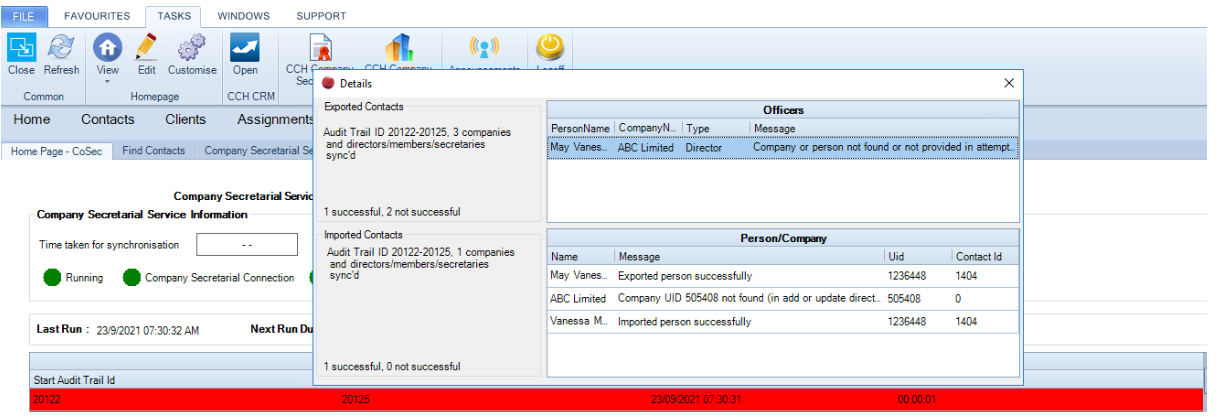
clipboard_ea06a507e04b3b9f20ff26acad451d26a.png

To delete the link 

1.       On the persons record, add sync with CoSec extra field

Please note: this is only required for data analyser purposes

Run steps 1-7 above
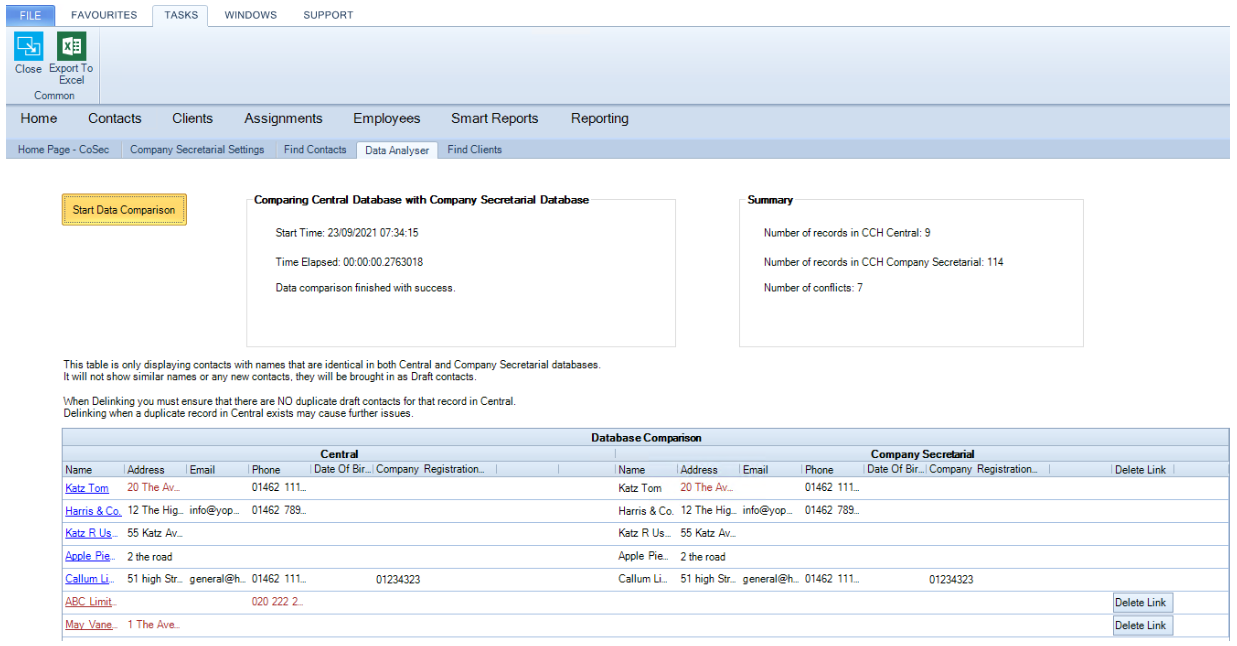
clipboard_ecb2d4eb9d4d73d8792d68ee26d6a6a08.png

When the record is updated in either CCH Central or CCH Company Secretarial a new link will be created.

Related documents

CCH Company Secretarial Integration 2024.2 : Release Notes
The CCH Company Secretarial Integration 2024.2 Release Notes outline the installation prerequisites via the Central Suite Installer and detail updates regarding compliance with the Economic Crime and Corporate Transparency Act. Starting March 4, 2024, companies must provide a registered email address when filing confirmation statements or incorporating. The registered email will sync with company records in the Company Secretarial module. The document includes a legal disclaimer and copyright notice, emphasizing the confidentiality and proprietary nature of the information contained within.
Synchronise with CCH Central
This document provides a comprehensive guide on setting up synchronization between CCH Company Secretarial and CCH Central. It includes detailed instructions for installing the service, configuring data synchronization, and using various features such as the Data Analyser and contact management. Additionally, it contains sections on resolving error messages and multiple appendices for further reference. Links to specific topics within the guide are also provided for easy navigation.
Installing the Service
This document outlines the steps to install the CCH Company Secretarial service. Users must first acquire a CCH Company Secretarial license before running the CCH Central Suite Installer (CSI). It provides a link for detailed instructions on using the installer and notes that the service can be accessed via the Start menu under Services.
Configuration for CCH Company Secretarial
This document outlines the configuration settings for CCH Company Secretarial and its synchronization with CCH Central. It emphasizes the importance of reviewing and cleaning data before synchronization, using the Data Analyser feature for checking discrepancies. Users can choose between various synchronization methods and must ensure critical fields are populated to prevent data loss. The document also details address configuration, highlighting rules for identity flags, and mentions the new de-linking option for address changes affecting multiple records. Draft contact authorizations and the importance of synchronizing in small batches are also discussed.
Filing forms to companies house 
Filing forms to companies house