Investment Ledger overview
As with the nominal Ledger, where the nominal accounts must be added to the client's chart of accounts before any postings to that account can be made, the securities or properties belonging to that client must be added to the investment ledger before any security or property transaction can be posted.
The investment ledger contains a list of investment accounts. The investment accounts represent the client’s portfolio. There are two types of investment account:
- Investment Accounts for Securities: these are usually most of the investments. Each account is represented by a security code from the Securities List and its description is the description on the Securities List.
- Investment Accounts for Properties: these are for other assets that are client-specific such as real estate, antiques, etc. When a Property Account is set up, it has its own property description. Property Accounts do not have a code.
Note: Trust Accounts uses the term ‘investment’ for a client holding of a security or a property. The term ‘security’ is reserved for details of the security that are not client-specific and are shared across all clients.
There are several differences between accounts for securities and accounts for properties:
- Property Accounts do not have a code, only a description.
- Property Accounts do not have a market value, whereas the application can calculate the market value of a holding of a security by looking up its price.
- The application cannot calculate CGT on Properties. The reason for this is that there are different CGT rules for different types of property, also disposals of properties occur much less often than disposals of securities. So, there has been little demand for this facility.
In some cases, it is debatable whether to set up a new investment as a security or as a property. For instance, an unlisted security can be set up either way. If it is intended to calculate CGT on it or if its market value is required on the investment schedule, then it should be set up as a security.
An important difference between the nominal ledger and the investment ledger is that the nominal ledger is a ‘balance forward’ ledger, while the investment ledger is an ‘open item ledger’.
|
At the start of each financial year |
|
|
Nominal ledger |
Investment ledger |
|
each account begins with an opening balance entry |
the capital history is shown from the date it was first acquired |
|
prior year entries are still available if you choose not to delete them at the year-end, but by default they are not included on reports |
income entries can optionally be deleted at the year-end; however, most users choose to keep them for a few years until any tax queries have been resolved. Capital entries cannot be deleted at the year-end until the holding falls to zero |
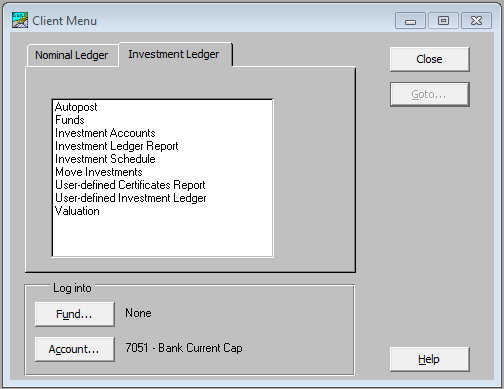
Click on the Investment Ledger tab from the Client Menu window. The following window appears.