
Officers - limited companies
Officers - FRS 105 and FRS 102 entities
An FRS 105 entity has two sections, Officers and Former officers, the FRS 102 entity has an additional section for Shareholdings.
Officers
The Officers section displays the current officers of the company, you are able to edit their details, add new directors, including the company secretary.
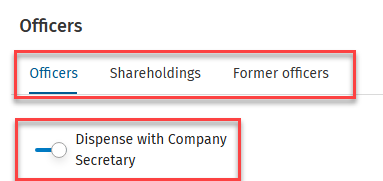
Company secretary
To dispense with the title Secretary on the Company Information page, move the slider to the right.
Order, Name and Role
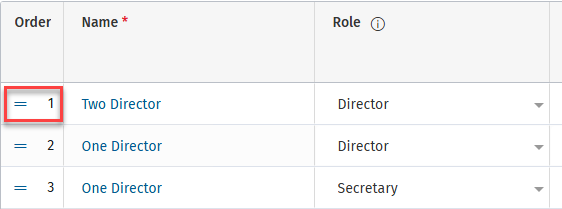
Order
The order of the officers is shown in the first column, to change the order click on the two horizontal lines (you will see the cursor change to a hand) drag the row up or down, the number will automatically change.
Name
To change the name of an officer, change the name in Central, and allow to refresh.
If the name is changed here it will be different to that in Central.
Role
Click on the down arrow beside the role description e.g. Director, and select from the drop down list. The information circle next to Role gives information regarding company secretary disclosure.
Status / Dates / Report and Signatory capacity

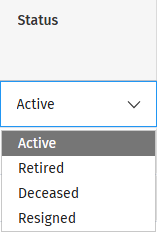
Status
Select the status of the officer from the drop down arrow.
Appointed date
To display the date of appointment of an officer, click into the date cell on the relevant row, a calendar will appear - you may scroll and select the date or may type directly into the cell. If the date fall within the current year being prepared it will be displayed on the information page and in the directors report.
End date
To display the date of leaving a company for an officer, click into the date cell on the relevant row, a calendar will appear - you may scroll and select the date or may type directly into the cell. If the date fall within the current year being prepared it will be displayed in the directors report.
Signing the accounts
Under the heading Report, there are two columns DR = Directors Report and BS = Balance Sheet, entering a tick in the box on the row of the relevant officer will display that officers name on the appropriate page. The signatory capacity will always be Director in the Balance sheet and may be Director or Secretary in the Directors report.
Former officers
Clicking on former officers will display those officers who are no longer active.