The Billing History by Partner window is used to view a summary of all the invoices posted for a specific partner within CCH Practice Management.

Viewing invoices

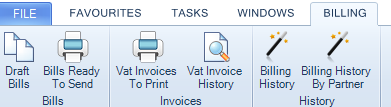
The default sort for the list is by invoice number. The Billing History by Partner window is accessed by selecting Billing  from the tabs at the top of the screen and then Billing history By Partner from the Ribbon.
clipboard_e04bbc102c73b53c501b455fc2873f5ec.png

You can:

  • report on the selected invoice

  • preview an invoice

  • sort by columns.

You can select the partner whose invoices you want to view by unticking the Show all Partners check box clipboard_e91781f1836fcc8171127a81103213eb9.pngand then clicking in the Partner field to access the Ellipsis button clipboard_e0f72e41fbbb60a21fffd53c87d4780f9.pngwhich in turn opens the Find Partner window. Select a partner from this window to only see the invoices for that particular partner’s clients.

The Billing History by Partner window contains a Preview option on the Ribbon that you can click to view the selected bill using Microsoft Word. From within Microsoft Word, you can select the menu command File > Print or click the Print button on the toolbar. Printed invoices can be viewed and reprinted from the Bills tab of the relevant Client or Assignment page in the Full Billing History area if required. If you click a blue client name in the list the Bills tab for that client will be displayed. You can refresh the list by clicking the Refresh option on the Ribbon.

Grouping invoices

You can also change how the invoices are listed in the page by dragging one or more of the available column headings into the grey Group area on the page. This will group the items in the list by the heading(s) you have selected.

For example, you may want to view the invoices by partner or date posted rather than by billed amount. Use the mouse to drag the required group heading to the Group area on the page and the invoices will be reset to reflect your chosen option. You can add another group heading either before or after those already selected to further group the items.

The following fields are available within the field chooser:

  • Published By
  • Published Date
  • Emailed By
  • Emailed Date

These fields are updated once the logged in user Publishes to CCH OneClick or emails the bill, so the practice can see within the history who Published or emailed the client bill.

Bills can be Published or Emailed from the following locations within CCH Central:

  • Bills Ready to Send
  • Client > Bills Tab
  • Billing History
  • Billing History by Partner
  • Client > Document Centre
  • Automated step within Workflow

Names and dates are updated within the fields, even if the physical Email or CCH Oneclick document failed to send which is ‘Outside of CCH Central’.

To view all items just remove all the grouping options from the Group area.

When grouping by client or employee the list is displayed in alphabetical order. You can click the column headings to sort by that row.

Related

Related documents

CCH Practice Management 2026.2: Release Notes
Release Notes for CCH Practice Management 2026.2
CCH Practice Management 2026.3: Release Notes
Release Notes for CCH Practice Management 2026.3
CCH Practice Management: enhanced - billing training online (10133815)
This document outlines a 3-hour training course on CCH Practice Management, focusing on the chargeable work process for clients. Participants will learn how to authorize timesheets, expenses, and disbursements, access prebilling reports, and utilize basic billing functionalities. The course is aimed at users involved in the billing process and requires prior completion of CCH Central and CCH Practice Management essentials courses. It will be delivered via an interactive environment called CloudShare. Additional resources such as eLearning courses, videos, and webinars are provided for further learning.
CCH Practice Management: essentials training online (10133814)
This course is designed for staff involved in completing Timesheets, Expenses, and Disbursements within the CCH Practice Management system. It covers the creation and submission processes, as well as utilizing CCH homepages for efficiency. Prerequisites include completed CCH implementations and internal agreement. The training lasts for two hours and is conducted via the interactive CloudShare platform. Topics include job structure, month-end processes, and practical hands-on exercises. Resources such as eLearning, videos, and webinars are also available to enhance learning.
Software and database installation (10091331)
This document outlines the installation process for software and a pre-configured database following an order confirmation. It emphasizes the importance of ensuring that the IT environment meets necessary hardware and software specifications, as well as the role of a Consultant in reviewing infrastructure and advising on deployment options. Key areas covered include SQL revisions, resource allocation for installations, workstation deployment methods, and scheduling installation access rights. Users are encouraged to review a hardware system requirements guide prior to installation discussions.
