The Officers area for a sole trader allows you to maintain the officer(s) of the business including dates of appointment/termination, and signatories of the accounts.

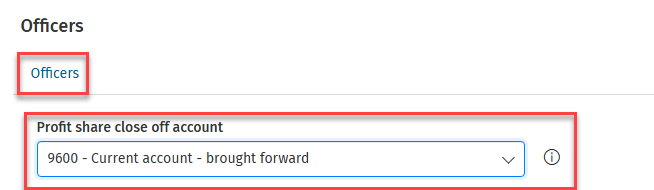
Profit share close off account

Select the profit share close off account here.  The information button gives on screen guidance.
iFirm-Accounts_Production_Data-Entry_Officers_1.png

Important! you must select a balance sheet code in the Profit share close off account box, you will not be able to perform a year end if this is blank.

Officer details

Editing an officer's name

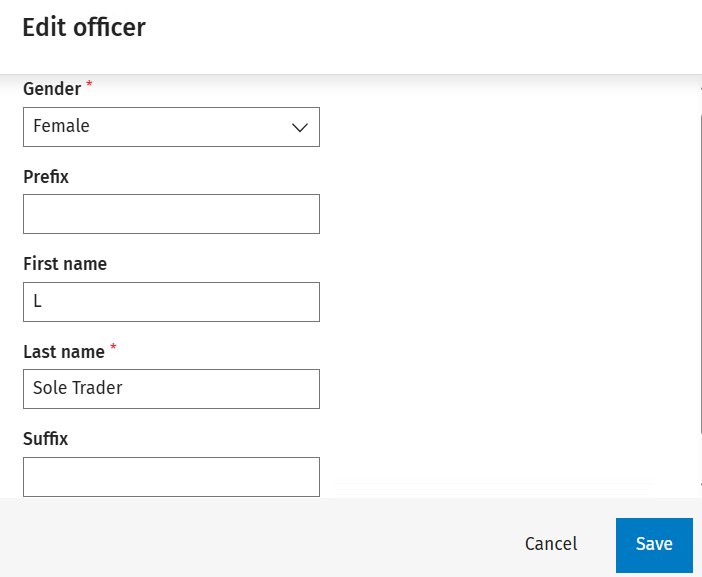
To edit the name of the existing officer, click on the name to be edited, this will open a window allowing you to edit. 

iFirm-Accounts_Production_Data-Entry_Officers_2.png

The fields Gender and Last name must be populated as depicted by the red asterisk. Once complete, Click to Save or Cancel.
clipboard_ec088aad0ad6c2e6ab1127fbea4c9607f.png

Dates / Status / Signatories

iFirm-Accounts_Production_Data-Entry_Officers_4.png

Dates / Status

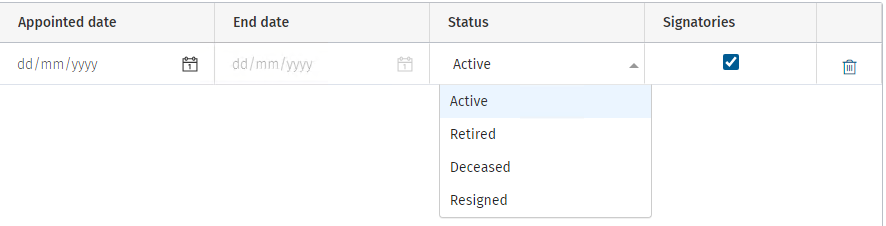
If the officer has been appointed or has left during the period/year, enter the relevant dates.  If the officer is no longer acting, change the status by clicking on the drop down and selecting from the list.

Signing the accounts

Tick the box under the "Signatories" column to have the name of the person signing feed through to the accounts.

Removing an officer 

If an officer has been added in error, to permanently remove click on the waste bin iFirm-Accounts_Production_Delete-Icon.png icon in the end column - a warning will be displayed asking for confirmation.

If an officer is terminating their position, they should not be deleted but the End date entered as shown above.

Related documents

Logging into CCH iFirm Accounts Production
This document outlines the steps required for CCH Central employees to access CCH iFirm Accounts Production. Users must first be invited by their organisation's CCH iFirm admin and ensure they have both CCH Central and CCH iFirm logins. The document provides instructions for selecting a client, logging into CCH iFirm Accounts Production, and emphasizes the importance of keeping the login screen open after successful access. Additionally, it includes links for further assistance with client migration and organizing management.
Migrating your existing clients to CCH iFirm Accounts Production
This document outlines the steps for migrating accounting data to CCH iFirm Accounts Production. It begins by instructing users to select a client from CCH Central and check if their data is already migrated. Key prerequisites include ensuring that the CCH iFirm Console is running and confirming .NET runtime installation. Users are then guided through the migration process by clicking the appropriate button and confirming the migration. Once complete, the client’s accounting status is updated, and visual indicators are provided. Lastly, it includes information on reverting back to the on-premise version of the software.
Tax Data
Transfer reviewed tax data directly into Personal Tax returns, reducing duplicate entry and ensuring consistency between accounts and tax information.
Officers - partnerships (unincorporated)
Guidance on how to maintain details of current and former partners, including appointment and cessation dates, linking to nominal accounts, entering profit shares and the account signatory or signatories.
Officers - limited companies
Guidance on how to maintain details of current and former company officers, including appointment and cessation dates and the account signatory or signatories.